If you are looking Clone Your Hard Drive or SSD Without Reinstalling WindowsTataSoft Disk Clone is a straightforward solution worth exploring. Right now, you can take one free lifetime license TataSoft Disk Clone for V3.0 – A tool that simplifies disk migration, system transfer and partition cloning for everyday Windows users.
In this post, we’ll tell you what TataSoft Disk Clone does, how to claim the free license, who benefits most from this software, and what key terms you should know before activating.
What is TataSoft Disk Clone?
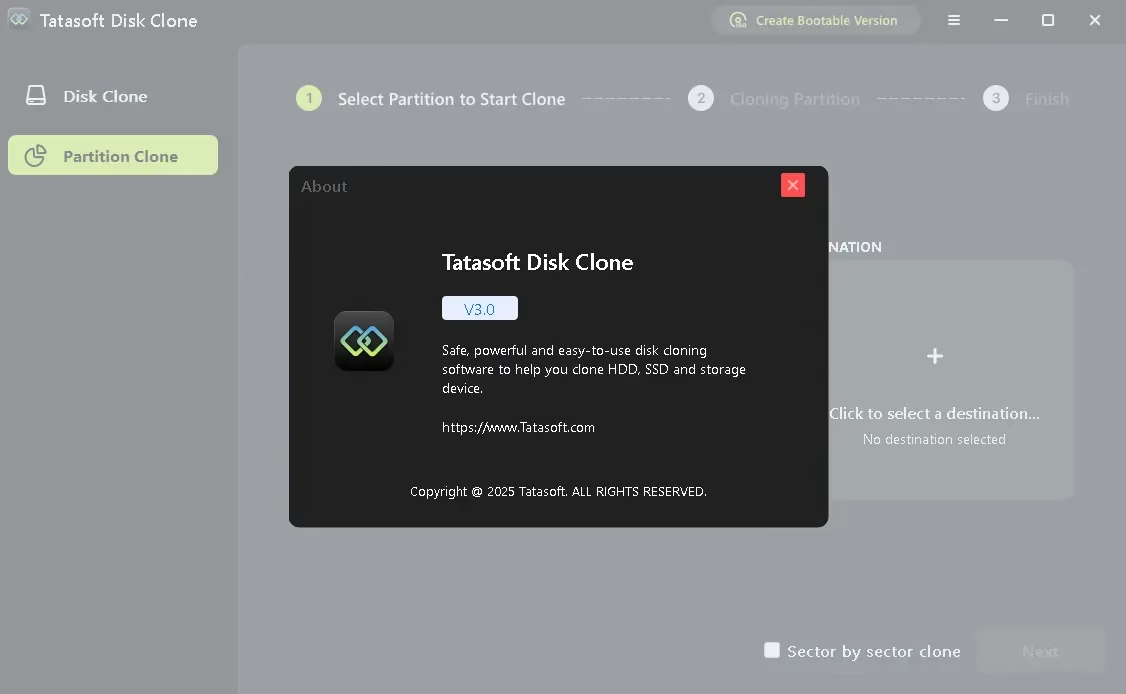
Tatasoft Disk Clone is a Windows-based disk cloning and migration tool Developed by TataSoft. Designed for both beginners and intermediate users, it eliminates the need to manually reinstall your operating system and programs when switching to a new drive. Whether you’re upgrading from an old HDD to a faster SSD, replacing a damaged drive, or creating a full backup clone, this tool handles the heavy lifting.
The software supports both disk clone And partition clone The modes give you flexibility, depending on whether you want to clone the entire drive or just a specific partition.
Key Features of TataSoft Disk Clone V3.0
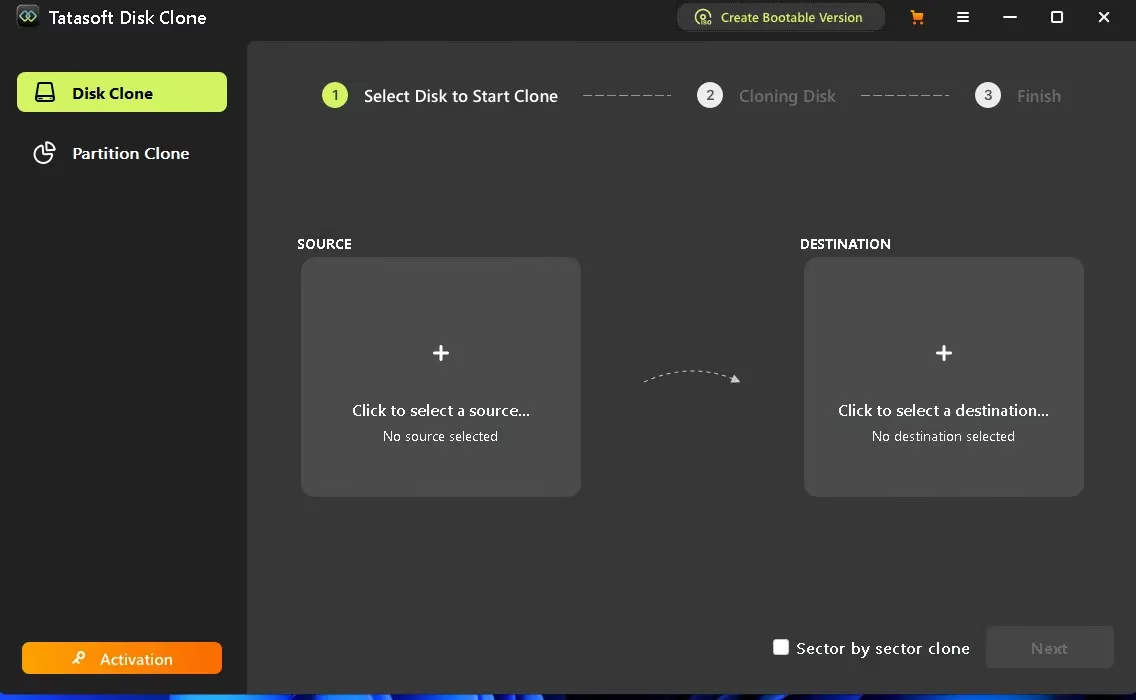
- Full Disk Cloning: Copies your entire HDD or SSD – including the OS, installed apps, and personal files – to another drive.
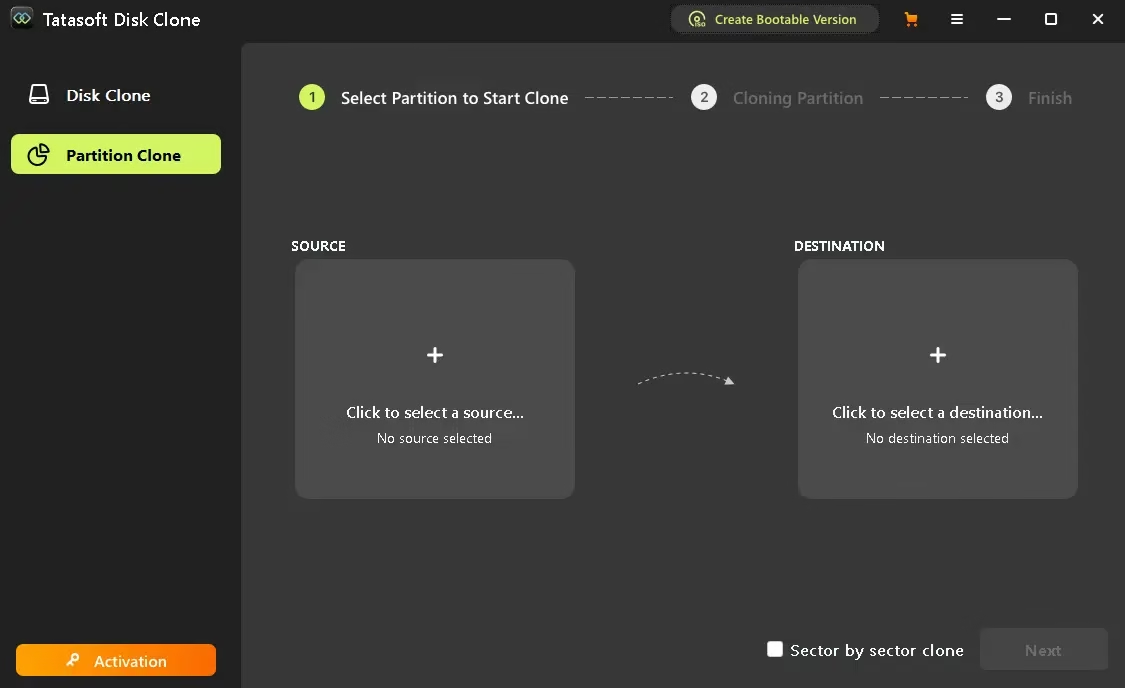
- Partition Cloning: Lets you clone individual partitions instead of the entire disk, saving time and storage space.
- Sector-by-sector clone: Creates an exact 1:1 copy of your disk at the sector level—ideal for forensic backups or when standard cloning fails.
- Bootable Version Creator: Lets you create a bootable clone, making it easier to recover your system if something goes wrong.
- Destination Layout Adjustment: Automatically adjusts the partition size to fit the destination disk during cloning.
- Wide Windows Compatibility: Support windows 1110, 8.1, 8, 7, Vista, and all major Windows Server versions since 2003.
How to Claim TataSoft Disk Clone Free License Free
A limited time giveaway is currently being offered Free Lifetime License for TataSoft Disk Clone V3.0 (Value $69.95). Here’s how to get yours in three easy steps:
Step 1: Download the Installer
Download Official TataSoft Disk Clone V3.0 installer from here And install it on your Windows computer.
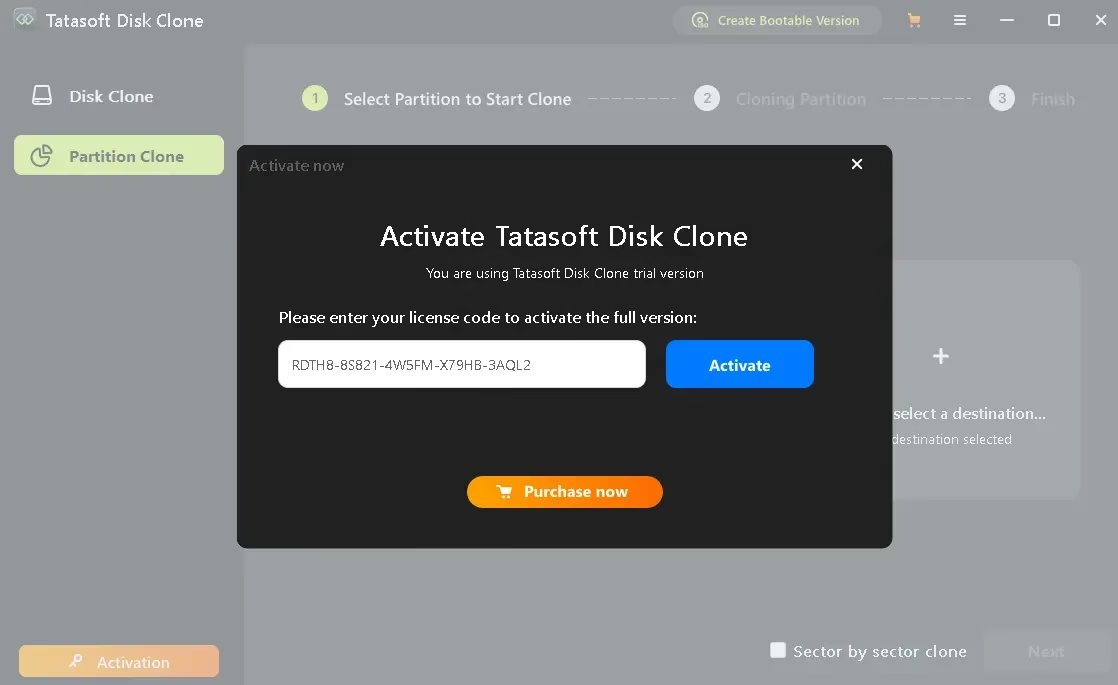
Step 2: Activate with free license code
Once installed, open the software and click activation button. Enter the license code below to unlock the full version.
License Code: RDTH8-8S821-4W5FM-X79HB-3AQL2
Step 3: Start using it for life
After activation, you have lifetime access to all features of TataSoft Disk Clone V3.0 at no cost – no subscription, no expiration.
Disk Clone vs. Partition Clone—What’s the Difference?
disk clone Copies everything on your entire storage drive – the operating system, all partitions, files, and settings – to a target drive. This is best when you are completely replacing your primary drive.
partition clone Lets you clone one partition from your drive to another. This is useful when you need to move only specific data or a system partition without touching the rest of the drive.
Both modes support one sector-by-sector clone Option for users who need an exact, bit-for-bit copy.
Who should use TataSoft Disk Clone?
This software is particularly useful for:
- users Upgrading from HDD to SSD And want to retain your current Windows setup.
- Any Replacing a damaged or old drive Without starting from scratch.
- people who want Create a full backup clone Before performing system maintenance or hardware changes.
- Users who need it clone a specific partition For data transfer or recovery.
- IT professionals or power users who need Sector-level disk copies For exact replication.
FREE DETAILS AT A GLANCE
| Description | Information |
|---|---|
| version | 3.0 for windows |
| license type | full lifetime license |
| real price | $69.95 |
| free value | Free |
| Supported OS | Windows 11/10/8.1/8/7/Vista + Windows Server 2003-2022 |
| Use | non-commercial only |
| technical support | not included |
| future upgrades | not included |
Important Terms and Conditions
Keep these terms in mind before activating your free license. The license covers version 3.0 only – future upgrades are not included. The license is strictly for non-commercial personal use, And free technical support is not part of this promotion. Cloning results may vary depending on the destination disk size and the cloning mode selected. Always review official instructions before installing.
Frequently Asked Questions
Is TataSoft Disk Clone completely free with this gift?
Yes—it offers a full lifetime license for free version 3.0. You will need a license code to activate the full version.
Does the free license include future updates?
No, the free license only covers version 3.0. This promotion does not include updates to future versions.
Can I use this license for my business?
No, it’s for the cheaper license Non-commercial personal use only. Commercial or commercial use requires a separate commercial license.
Which Windows versions are supported?
TataSoft Disk Clone V3.0 supports Windows 11, 10, 8.1, 8, 7, Vista, and Windows Server editions from 2003 to 2022.
Is sector-by-sector cloning safe?
Yes, but this requires the destination disk to be the same size as or larger than the source disk. This creates an exact copy including empty sectors.
Final Verdict: Is TataSoft Disk Clone worth it?
for anyone who wants Migrate their Windows installation to a new drive Or to create a reliable disk backup, Tatasoft Disk Clone V3.0 provides a clean, no-hassle solution. The interface is intuitive, the cloning modes cover most real-world use cases, and getting a free lifetime license makes it easy to use during the active gift period.
If you’ve been putting off that SSD upgrade because you don’t want to reinstall everything, this is your chance to make the switch the easy way.
Learn more from Techno360
Subscribe to get the latest posts delivered to your email.