FLIPLIC VOICE CHANGER is a voice-changing application for Windows that offers a library of pre-installed voices and lots of customization options.
About this FLIPLIC VOICE CHANGER:
If you've ever wanted to edit your recorded voice, add effects to it, or mix the voiceover with normal tracks and other audio, this is the program for you.
Fliplick Voice Changer offers users a series of soundboards that are organized by categories and contain thousands of clops and memes.
Plus, the app's internal library includes a variety of sound effects that are pre-installed and organized for easy access.
Every voice and effect is available in the app, but it also has a aye Voice modifier engine and a real-time voice changer that lets you imitate many different sounds.
with this voice ChangerYou can change your voice into different entertaining styles.
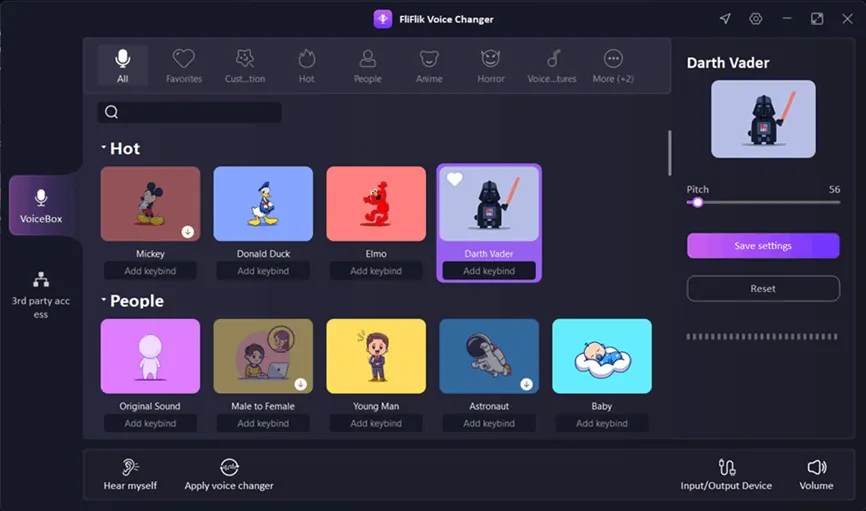
Over fifty unique voice types are at your fingertips, and it's easy to use. Voice customization options include Minions, Mickey, Metal, Lou, a dragon, a ghost, a witch and many more. Many audio controls like pitch, mix and formant are also available in this program.
Last but not least, users can add denoise and change the input and output signal levels as per their liking.
key features:
- Change your voice in real time using a variety of effects and soundboards.
- Use it to change your voice for a variety of online purposes, including gaming, chatting, podcasting, and teaching.
- Sound effects like zombies, horror, devices, games or alien species can be applied to your voice.
- Anyone can change their voice to look like a chipmunk, robot or supernatural creature.
- Discord, Twitch, OBS, PlayerUnknown's Battlegrounds, Counter-Strike: Global Offensive, Roblox, Minecraft, World of Warcraft, and countless more widespread platforms and games are all compatible with this app.
Fliplik Voice Changer Giveaway:
- go to gift page,
- Enter your first and last name and email address, then click the “Get License” button.
- Check your email inbox for an email flicklick(noreply@luckydogsoft.com). This email provides the license code, copy the code.
- Download Installer: windows
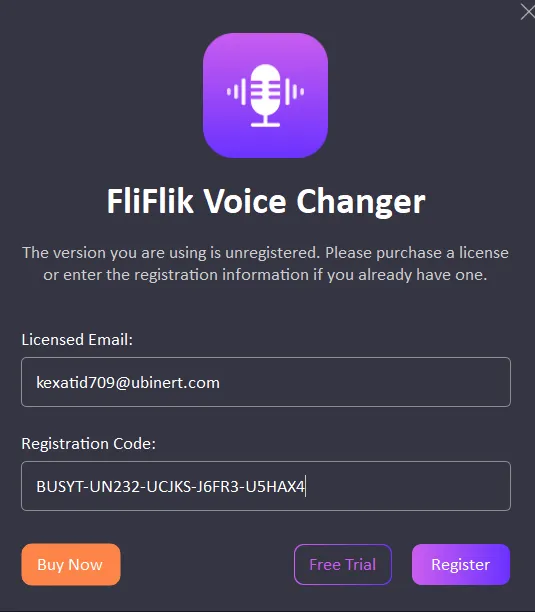
- Install the software, launch it, and click “Settings” (wheel icon) on the main window and click “Register”.
- Enter your email address and license code, then click “Register”.
- Comment: It provides free 3 months license code and is available for next 6 days.

![Wise Registry Cleaner Pro v11 Free for 1 Year [Worth $29.95] | Free Download](https://freedownload.co.in/wp-content/uploads/2024/06/Wise-Registry-Cleaner-Pro-Box.png?v=1719554291)