Losing important information like family photos, job documents, and videos can feel like a nightmare. But what if you have a powerful tool that can bring them back?
Amagicsoft’s Magic Data Recovery is a robust, user-friendly and extremely useful file recovery tool that can easily restore deleted, formatted or corrupted data.
About this Magical Data Recovery:
Amagicsoft’s Magic Data Recovery is a program that can help you get files back on Windows. It works with over 5,000 file types and a wide range of storage devices, such as HDD, SSD, USB flash drives, SD/microSD cards and more.
The idea behind it is simple: you can still try to recover files even if you’re not very knowledgeable about file systems or partitions. Just follow these three steps: Scan, Preview and Recover.
The 2025 version adds features including a simpler interface and improved scan algorithms to speed up and make recovery easier, especially for those who are not overly tech-savvy.
Key Features That Make It Different
Here are the extraordinary features of Magic Data Recovery:
| Speciality | What does it offer | why it matters? |
|---|---|---|
| Supports 5,000+ file types | From documents and images to archives and raw data files. | You are not limited to just a few file formats. |
| Cross-device and cross-media compatibility | It is compatible with HDD, SSD, USB drives, SD/MicroSD cards, etc. | Recovery does not depend on device type. |
| Dual Scan Mode: Quick and Advanced | Quick scan for recent deletions; Deep/Advanced scan for formatted or corrupted media. | You can choose speed vs depth depending on the situation. |
| Preview before recovery | View recoverable files (thumbnails/description) before restoring. | Prevents useless recovery of unwanted files. |
| Read-only and secure operation | The software does not write to the original drive, preventing further damage. | Reduces risks during recovery. |
| user-friendly interface | The design focuses on simplicity – large icons, guided steps and minimal jargon. | Good for non-technical users. |
| wide windows support | Compatible with Windows versions from old to new. | covers most windows users |
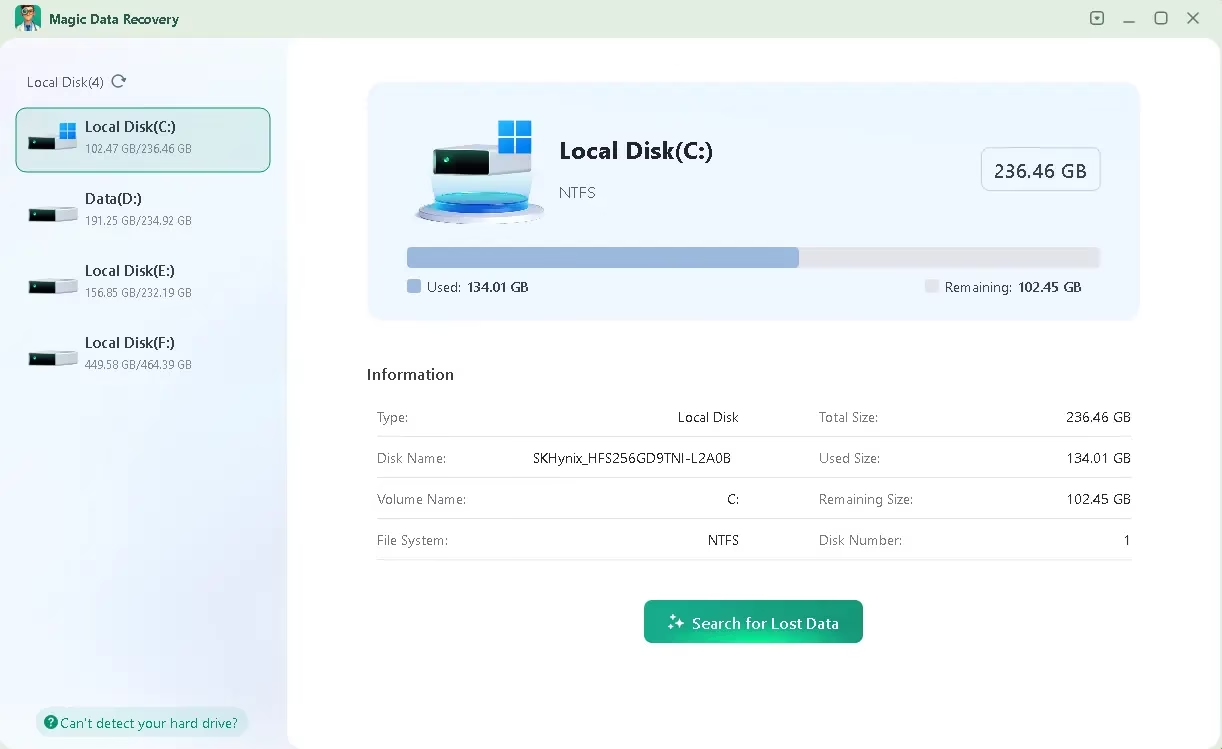
How to Use Magic Data Recovery (Step-by-Step)
Recovering files is straightforward. Here’s how you can do it:
- Do not use the affected drive.
Stop writing (don’t save new files) as soon as you notice data is missing. This reduces the chance that recovered data will be overwritten. - Download and Install
- Visit the official page: https://www.amagicsoft.com/
- Download the free version or trial (often full-featured for a short period of time).
- Install it on a different drive (not the one you want to recover).
- Select target drive/device
Connect your storage device (USB, SD card, etc.). From the interface, select the correct drive. - run scan
- start from quick scan to identify Recently removed.
- If this does not yield results, run Advanced/Deep Scan.
- Preview and select files
Browse through recoverable files; Use filters (file type, date, etc.) to limit. Preview before selecting. - Recover and save safely
Save the recovered files on a different drive. Never restore the same drive that has suffered data loss. - Verify and Backup
Check that the recovered files are intact, then back up your important data.
Magic Data Recovery Pro Free:
Normally, the Pro version of this software is priced at $49.95 (1-year license); Now you can get it for free.
download software from https://download.amagicsoft.com/
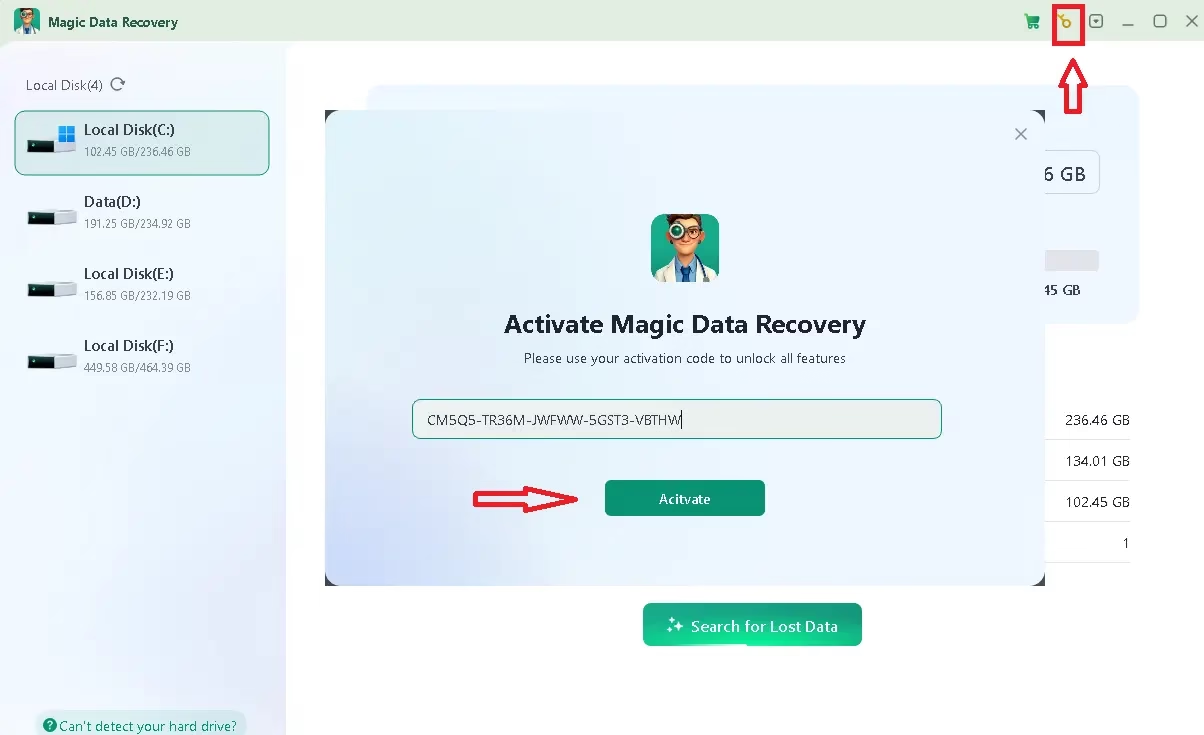
Install the software, start it, and then click the “Key” icon on the app’s main screen. Type one of the two license codes below in the pop-up window and click “Activate”.
license code
License Key: 4ZV85-P89J5-24TDH-Y4VN4-W78JH
.
🧾conclusion
Magic Data Recovery is a great option. it data recovery The program can be your first try at recovering data as it works with thousands of file types, is compatible with multiple devices, has a pleasant interface, and has strong scanning options.
But keep in mind that no software is perfect. Time is of the essence, so be smart as soon as you notice data loss. Use programs like Magic Data Recovery, but don’t think of them as magic that never ends. They work best when the conditions are right.
Learn more from Techno360
Subscribe to get the latest posts delivered to your email.

![Wise Registry Cleaner Pro v11 Free for 1 Year [Worth $29.95] | Free Download](https://freedownload.co.in/wp-content/uploads/2024/06/Wise-Registry-Cleaner-Pro-Box.png?v=1719554291)