Is your Windows PC feeling sluggish? Fragmented drives can silently drain your system’s performance. O&O Defrag 30 Pro One of the most powerful disk defragmentation and optimization tools available for Windows – and right now, you can take advantage of it Free 1-Year Pro License Valued at $29.95 at no cost.
In this guide, we cover everything you need to know about O&O Defrag 30 Pro: what it does, its standout features, how it compares to the competition, and how to claim your free license today.
What is O&O Defrag 30 Pro?
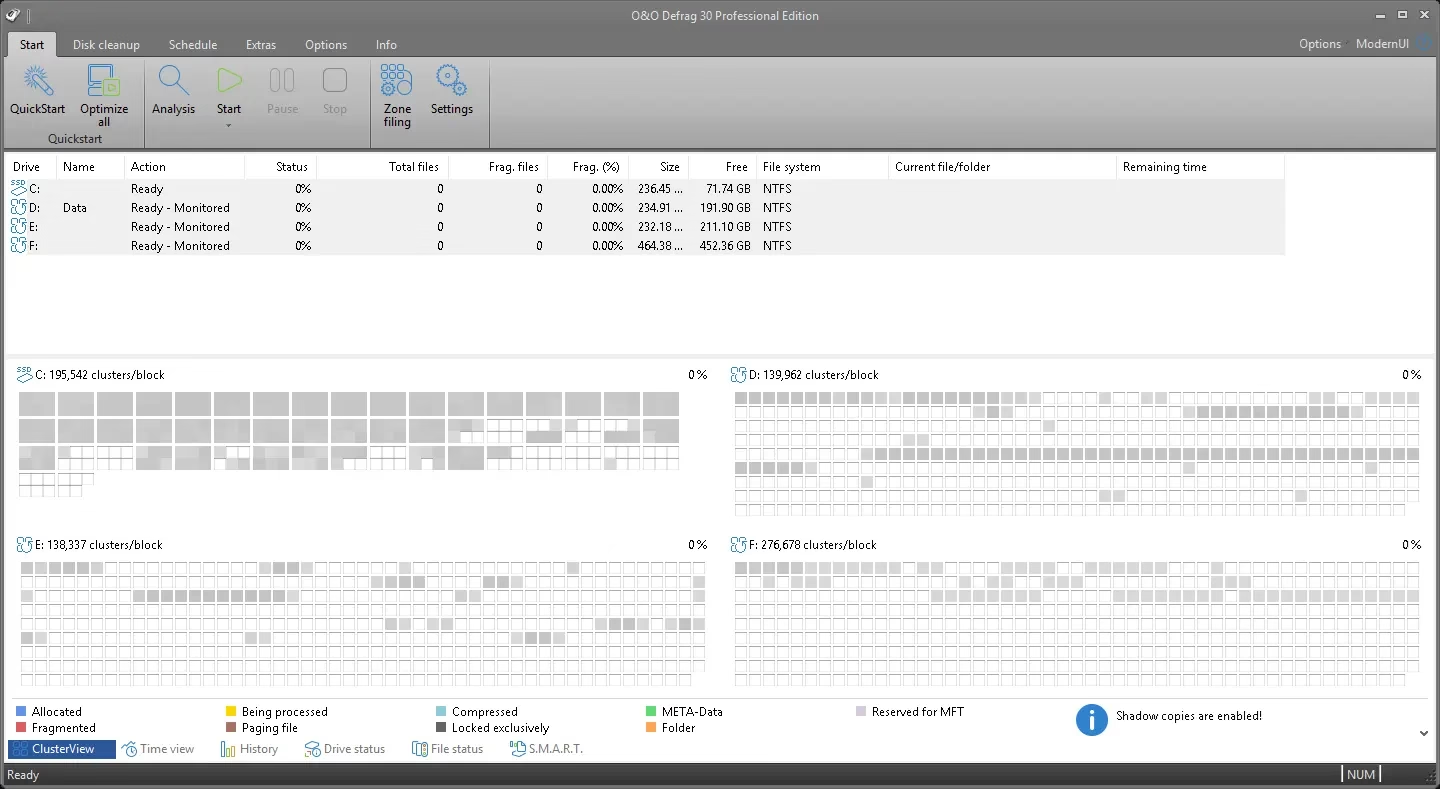
Developed by Berlin-based software company O&O Software, O&O Defrag 30 Professional Edition is a comprehensive disk optimization suite for Windows. It goes far beyond simple file defragmentation – it’s a full-spectrum performance tool designed to make both traditional hard drives (HDD) and solid-state drives (SSD) operate at peak efficiency.
Unlike the basic defrag utility built into Windows, O&O Defrag 30 Pro uses intelligent, patent-pending algorithms to reorganize data in the most optimal way for your specific storage hardware. The result is a significantly faster, more responsive PC with less drive wear and longer hardware lifespan.
Why choose O&O Defrag 30 Pro over free alternatives?
There are many free defrag tools available, so why choose O&O Defrag 30 Pro? The answer lies in its depth of features, automation capabilities, and SSD-aware optimization engine – features that budget tools simply can’t match.
Feature-rich and beginner-friendly interface
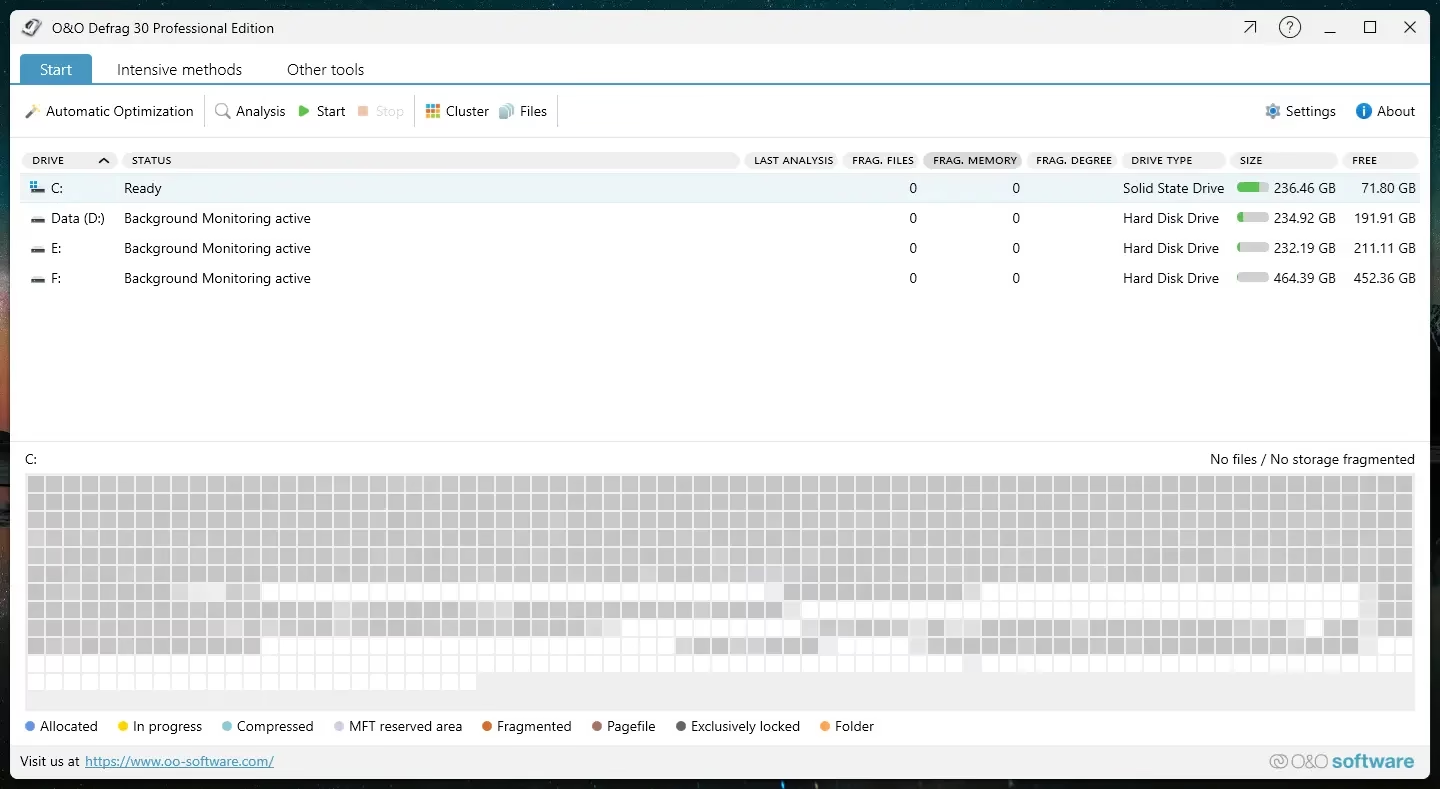
O&O Defrag 30 Pro combines professional-grade capabilities with an interface designed for all experience levels. Whether you’re a casual user or a system administrator, you’ll find the layout clean, intuitive, and easy to navigate. The software offers both modern ui and a classic uiSo you can choose the view that best suits your workflow.
Regardless of your storage type – spinning HDD or ssd – You can expect maximum performance due to its upgrades hard drive and SSD-specific algorithms. O&O Defrag 30 Pro will be immediately available to both power users and beginners.
Advanced Defragmentation Algorithm
At the core of O&O Defrag 30 Pro is a suite of advanced defragmentation methods – including SPACE, STEALTH, COMPLETE/X, SOLID and NAME – each tailored to a specific use case. SPACE is ideal for fast everyday defragmentation, while COMPLETE/X performs a deep, thorough reorganization for maximum performance gains. This level of control over how your drive is defragmented is what sets O&O Defrag apart from the best disk defragmentation software options.
Solid State Drive (SSD) Optimization
One of the most important features of O&O Defrag 30 Pro is its dedicated ssd Customizable Mode. Traditional defragmentation is harmful to SSDs because it causes unnecessary write cycles. O&O Defrag 30 Pro automatically detects SSD drives and applies SOLID optimization – a technology specifically engineered to improve SSD read performance without harming write cycles. This makes it a safe, smart choice for modern Windows laptops and desktops with SSD storage.
Automatic defragmentation and scheduling
With O&O Defrag 30 Pro, you set it and forget it. Built-in scheduling lets you automate defragmentation Work on daily, weekly or custom schedules. You can also configure it to run quietly during idle periods so that your drive is always optimized without interrupting your work. Screensaver trigger mode automatically activates optimizations when your PC is idle – a really useful hands-free feature.
Disk Cleanup & Drive Health Monitoring
Beyond defragmentation, O&O Defrag 30 Pro includes a powerful disk cleanup Module that removes temporary files, browser cache, log files and other digital clutter that slows down your system. It also offers real-time drive health monitoring using smart data, so you can proactively detect potential drive failures before they ruin your data.
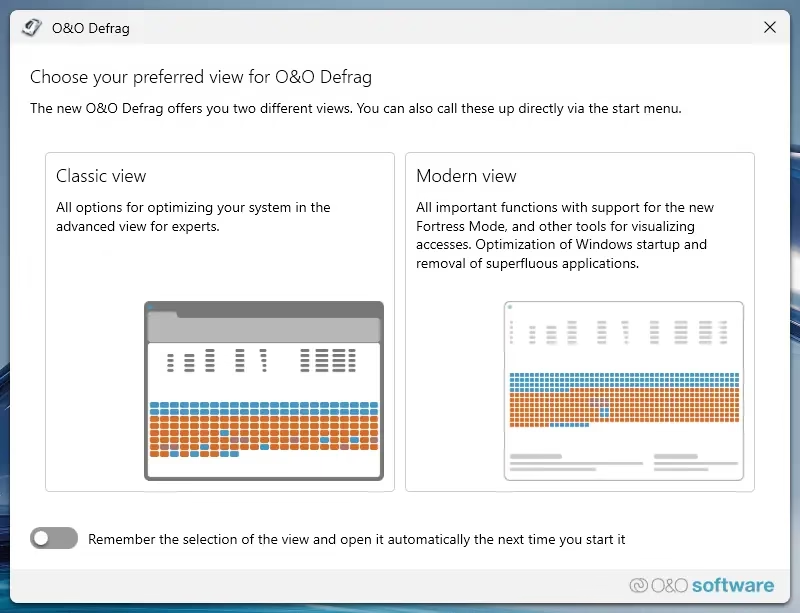
Two interface styles: modern and classic
For a more customized experience, O&O Defrag 30 offers users the option to switch between modern interface (clean, tile-based, ideal for touchscreens and new Windows 11 users) and a classic interface (Preferred by information-dense, power users and IT professionals). This dual-UI approach makes the software versatile for all types of Windows users.
O&O Defrag 30 Pro: Key Features at a Glance
- Multiple defrag methods: Space, Stealth, Complete/X, Solid, and Name algorithms for target optimization.
- SSD-Safe Optimization: Dedicated SOLID mode protects SSD health while improving read performance.
- Automatic Scheduling: Set defragmentation on your preferred schedule or during idle time and forget it.
- Disk Cleanup: Delete junk files, browser cache and temporary data to free up storage space.
- Drive Health Monitoring: Real-time smart data analysis to catch failed drives early.
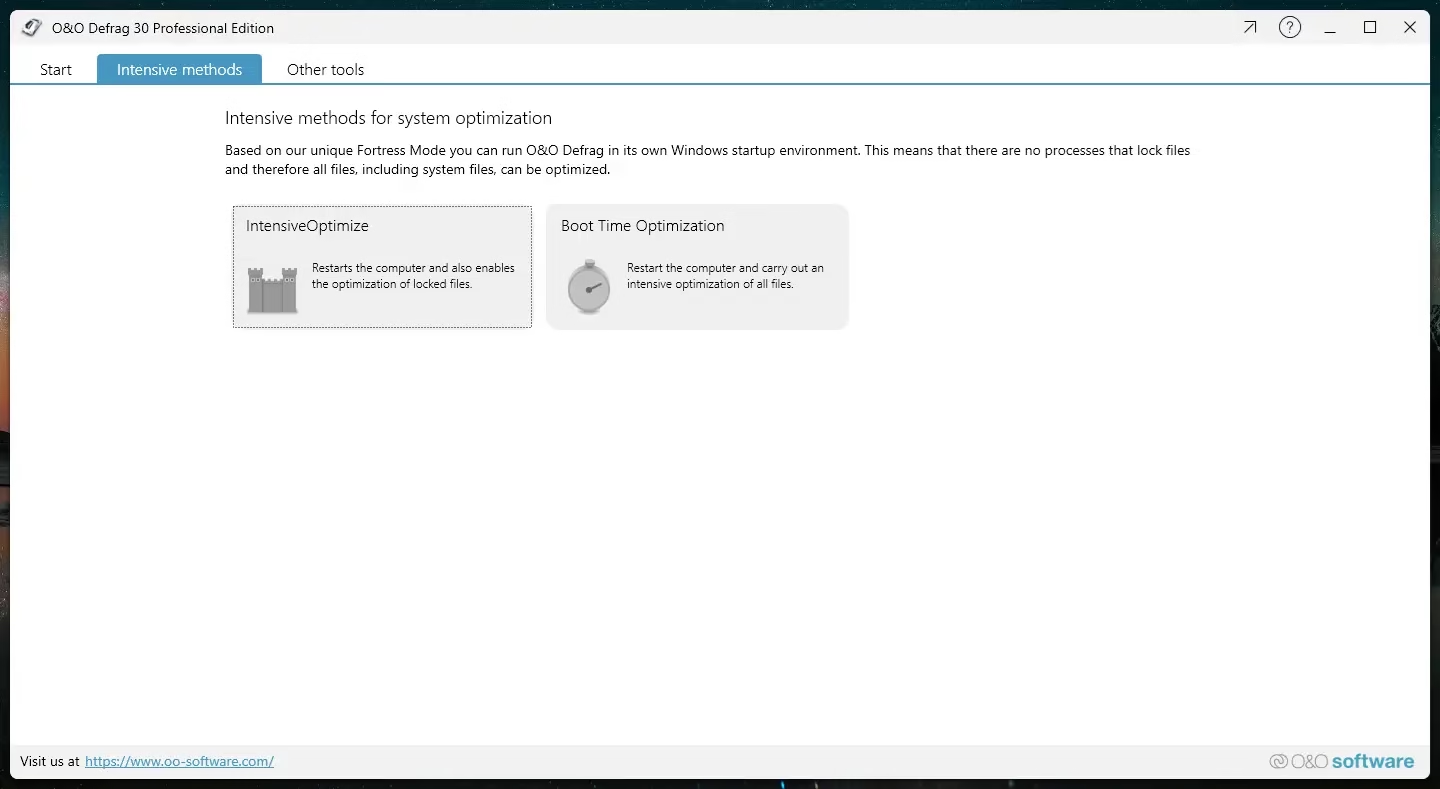
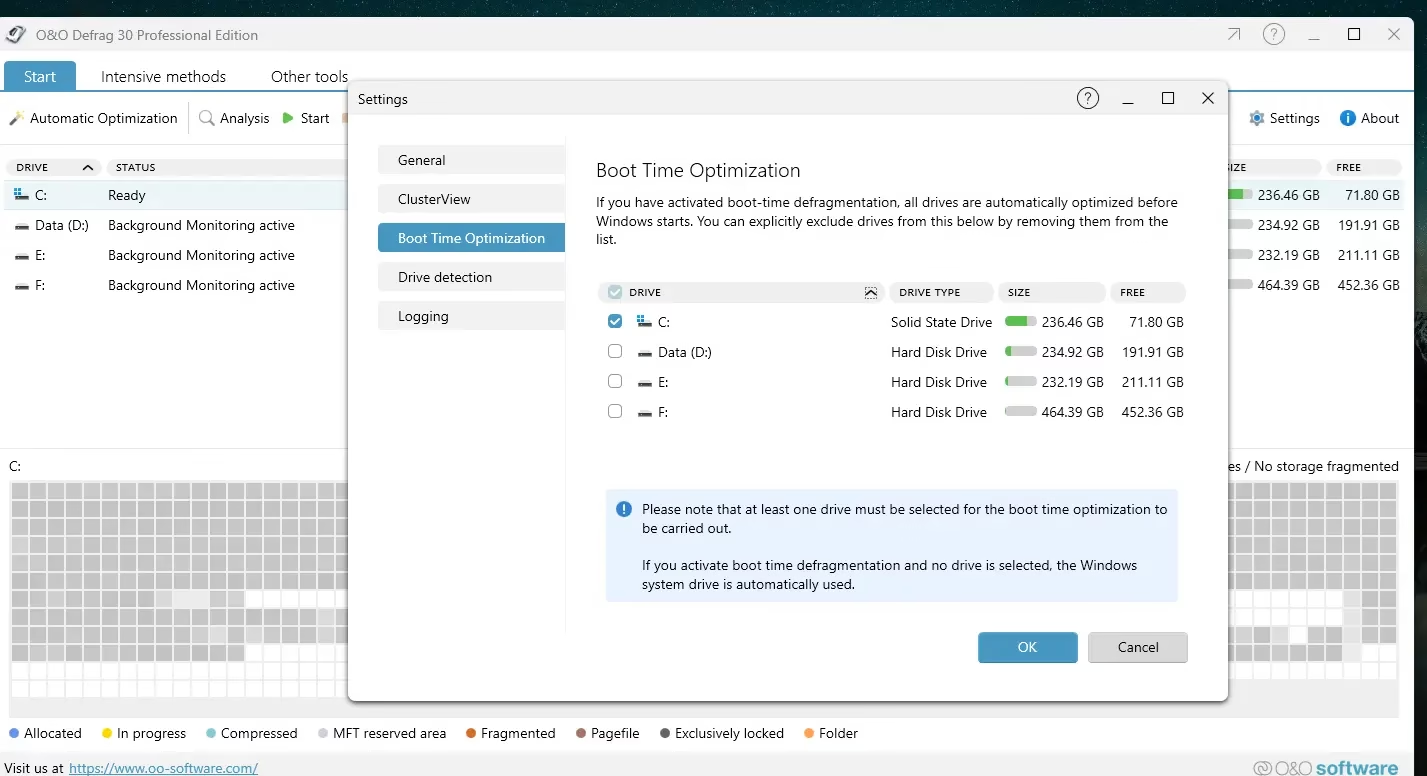
- Boot-Time Optimization: Defragment system files that cannot be moved while Windows is running.
- Dual Interface: Switch between modern and classic UI depending on your preference.
- Windows 11 Compatible: Fully supports Windows 10 and Windows 11 (32-bit and 64-bit).
- No Bloatware: Clean, lightweight installation without any unwanted bundled software.

How to get a free license of O&O Defrag 30 Pro for 1 year
O&O Software is offering a Free 1-Year Pro License for O&O Defrag 30 Via their official gift page. This is a legitimate promotion straight from the developer – no surveys, no credit card required. Follow the steps below to claim your free license.
step 1: go to Gift Page.
Note: The free page is in German. Use Google Translate in your browser if necessary.
step 2: Enter your email address and click “Request a free license” button.
step 3: Check your inbox for a confirmation email from O&O Software. Click the confirmation link to verify your email.
step 4: O&O Software will send your second email license key And activation instructions.

How to install and activate O&O Defrag 30 Pro
Once you have received your free license key, follow these steps to install and activate O&O Defrag 30 Pro on your Windows PC:
Step 1: Download the Installer. The O&O Defrag Pro (V30.5) installation file (English language) is available directly from O&O Software:
https://www.oo-software.com/en/download/
step 2: Run the installer. When asked about updates during installation, you can skip the update check and complete the standard installation process.
step 3: Launch O&O Defrag 30 Pro. When the registration wizard opens, select “Enter your registration code” option and click “next.”
step 4: Enter your name, company (optional), and the serial number from your license email. Click “next” To move forward.
Step 5: On the following screen, enter your email address to register for technical support. Click “finish” And restart the software to complete the activation.
O&O Defrag 30 Pro system requirements
Before downloading, make sure your system meets the minimum requirements for O&O Defrag 30 Pro:
- Operating System: Windows 10 or Windows 11 (32-bit and 64-bit)
- Processor: 1 GHz or faster
- To hit: Minimum 512 MB (1 GB or more recommended)
- disk space: 120 MB free hard drive space
- Display: 1024 x 768 resolution or higher
- Internet: Required for license activation and updates
Frequently Asked Questions (FAQ)
Is O&O Defrag 30 Pro safe to use?
Yes. O&O Defrag 30 Pro is developed by O&O Software, a reputable German software company operating in the industry for over 25 years. The software has been thoroughly tested and is safe for both HDD and SSD drives. Its SOLID mode specifically protects SSDs by avoiding excessive write operations.
What is the difference between O&O Defrag Free and Pro?
The free version of O&O Defrag provides basic defragmentation functionality. O&O Defrag Pro Free License You unlock all the professional features through this gift: automatic scheduling, boot-time optimization, SSD solid mode, disk cleanup, drive health monitoring and priority customer support – making it the complete disk optimization solution.
Does O&O Defrag 30 Pro work with Windows 11?
Yes, O&O Defrag 30 Pro is fully compatible windows 11 and Windows 10, in both 32-bit and 64-bit versions. It is regularly updated to support the latest Windows releases and drive technologies.
How long is the free O&O Defrag 30 Pro license valid?
gift one offers 1 year free license For O&O Defrag 30 Pro. After the 12-month period, you can choose to upgrade at the standard price or continue using any previously customized settings without an active license.
Is defragging an SSD harmful?
Traditional defragmentation can reduce the lifespan of an SSD due to unnecessary write cycles. However, the O&O Defrag 30 Pro is designed with just that in mind. Its solid optimization mode Improves SSD performance without the harmful write operations associated with traditional defrag tools, making it completely safe for SSD users.
Final Verdict: Is O&O Defrag 30 Pro Worth It?
Absolutely. O&O Defrag 30 Professional Edition is one of the most complete and well-engineered disk optimization tools available for Windows today. It combines intelligent defragmentation algorithms, SSD-safe optimization, automatic scheduling, disk cleanup, and drive health monitoring into a single, easy-to-use package.
Whether you’re running a high-performance gaming rig, running a professional workstation, or running everyday errands windows Laptop, O&O Defrag 30 Pro will help you get more performance and longevity from your drives. And with this limited time O&O Defrag Pro Free License OfferThere’s never been a better time to try it.
Don’t wait – get your free 1-year O&O Defrag 30 Pro license before the offer ends and start enjoying a faster, healthier Windows PC today.
Learn more from Techno360
Subscribe to get the latest posts delivered to your email.

![Wise Registry Cleaner Pro v11 Free for 1 Year [Worth $29.95] | Free Download](https://freedownload.co.in/wp-content/uploads/2024/06/Wise-Registry-Cleaner-Pro-Box.png?v=1719554291)