
🎁 Franzis giveaway · Windows 10 & 11
Sharp from front to back: a €69 focus-stacking program at no cost
You can get FOCUS projects 5 free from Franzis right now. Note the edition: this is FOCUS projects 5 Standard (v5.34), not the Pro edition this page covered before. Below are the registration, download and activation steps, tested on 21 October 2026.
⚡ Quick Read
- What: FOCUS projects 5 Standard, a focus-stacking and photo-editing program from Franzis.
- Edition: Standard, not Professional. The Pro-only extras listed by Franzis (video import, Lightroom Classic plug-in) are not part of this offer.
- Value: €69, according to Franzis’ product page.
- Platform: Windows only (Franzis lists Windows 10 and later). No Mac version in this giveaway.
- Licence: Activation as a full version worked in my test. Franzis’ separate free-download page describes its free offer as a full version with no expiry date and no subscription. The giveaway page used here does not publish its own licence terms. Nothing indicates that future major versions are included.
- Deadline: Franzis says the offer is time-limited but gives no end date. It was working on 21 October 2026.
- Catch: Franzis does not provide installation or troubleshooting support for free registration products, and the bundled manual is in German.
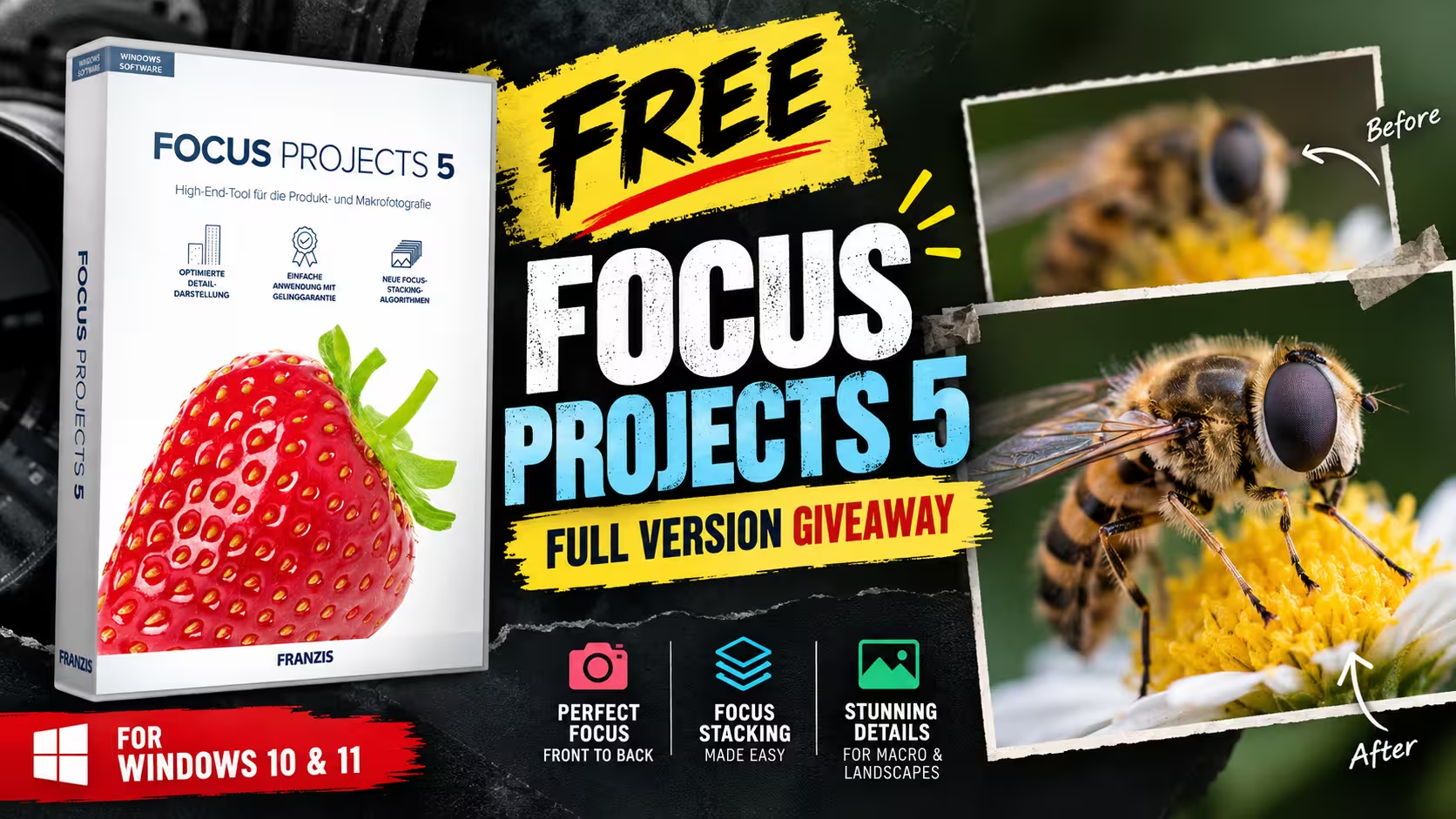
FOCUS projects 5 free: what the giveaway includes
FOCUS projects 5 free gets you a Standard-edition registration key for Franzis’ focus-stacking software. You register with an email address, confirm it, and receive a User ID and a registration key (the serial number). In my test, the key turned the installed program from a 30-day trial into an activated full version.
The version I installed is FOCUS projects 5 v5.34 (the program’s title bar shows V5.34.03722, 64-bit). The installer supports English, German and French.
| Software | FOCUS projects 5 (Standard), v5.34 |
|---|---|
| Developer | FRANZIS Verlag GmbH, Germany |
| Regular price | €69 (Franzis store) |
| Operating system | Windows 10 and later (installed here on Windows 11) |
| Licence type | Full version (activation confirmed). Franzis describes its free offer as having no expiry; campaign terms not published. |
| Download | ZIP file, approximately 96 MB |
| Languages | English, German, French (manual in German) |
| Giveaway end date | Not announced |
🎁 Giveaway page ⬇️ Download installer (ZIP)
How to get FOCUS projects 5 for free
The whole process takes about five minutes. I followed these steps on 21 October 2026.
1. Register on the giveaway page
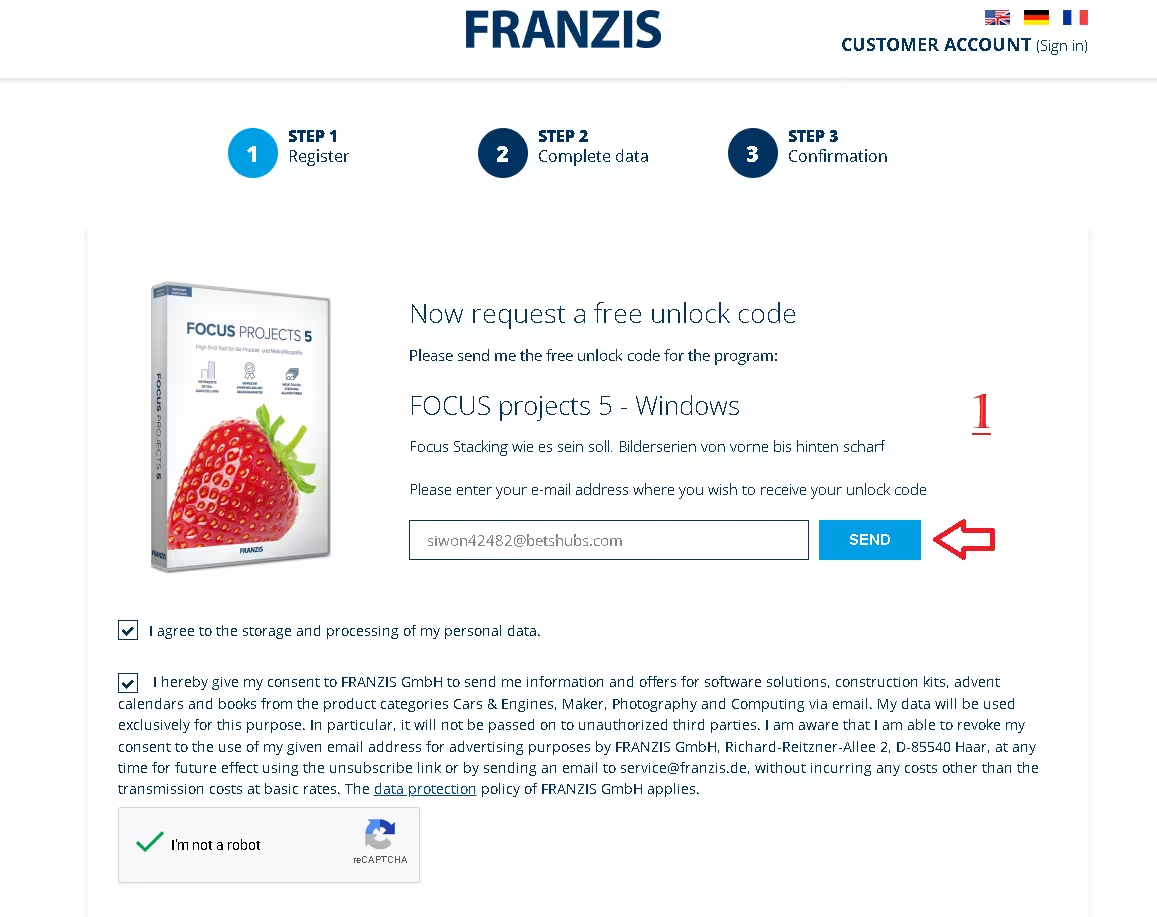
Open the FOCUS projects 5 giveaway page. It should show “FOCUS projects 5 – Windows” as the program. Enter your email address, review the two checkboxes, complete the reCAPTCHA and click Send.
The form shows two separate consent checkboxes:
- Data processing: “I agree to the storage and processing of my personal data.”
- Marketing: consent for FRANZIS GmbH to email you information and offers about software, construction kits, advent calendars and books. The text says you can revoke this at any time.
Both boxes were ticked when I registered, so I can’t confirm which ones the form requires, or whether the marketing box can be left unticked. Read the wording on the form before you submit. Separately, Franzis’ confirmation email (in German) says that registering the program means you agree to receive its newsletter, and that you can withdraw that consent through the unsubscribe link in any newsletter.
2. Confirm your email address
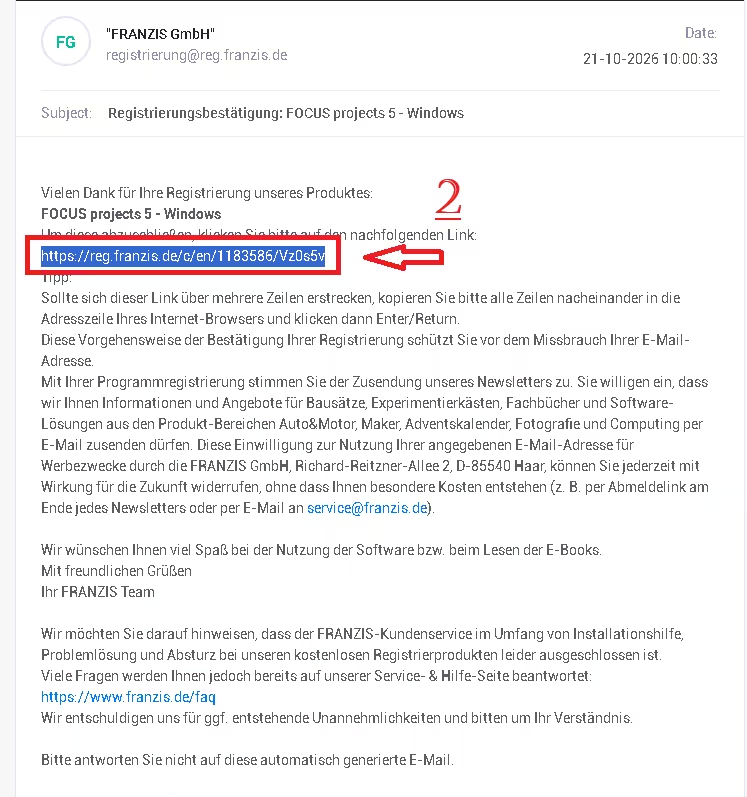
An email from FRANZIS GmbH arrives within a few minutes with the German subject line “Registrierungsbestätigung: FOCUS projects 5 – Windows”. Mine came from registrierung@reg.franzis.de. Click the confirmation link in the email (it starts with https://reg.franzis.de/c/en/). If the link wraps over two lines, copy both lines into your browser’s address bar.
Can’t find it? Check your spam or promotions folder before registering again.
3. Copy your User ID and registration key
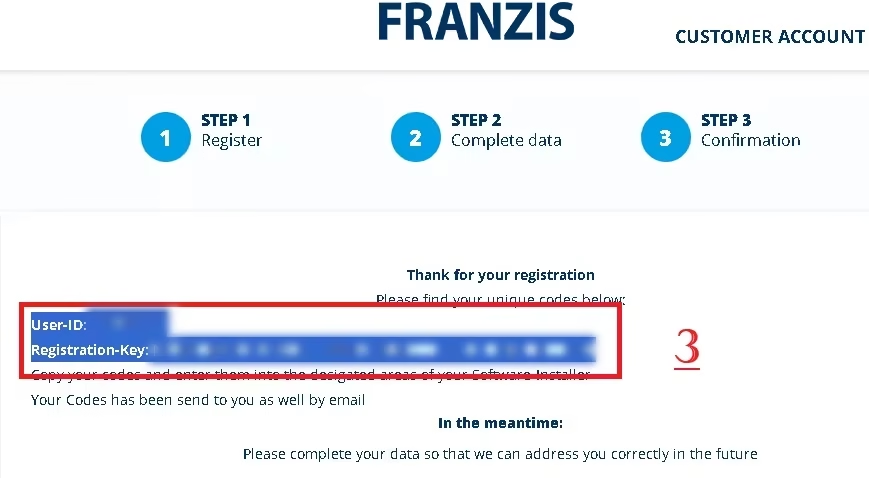
The confirmation link opens a Franzis page that shows your User ID and Registration-Key. The key is a long code made of nine five-character blocks. Copy both into a text file. Franzis says it also emails the codes to you, but saving them yourself costs nothing.
4. Download and extract the installer
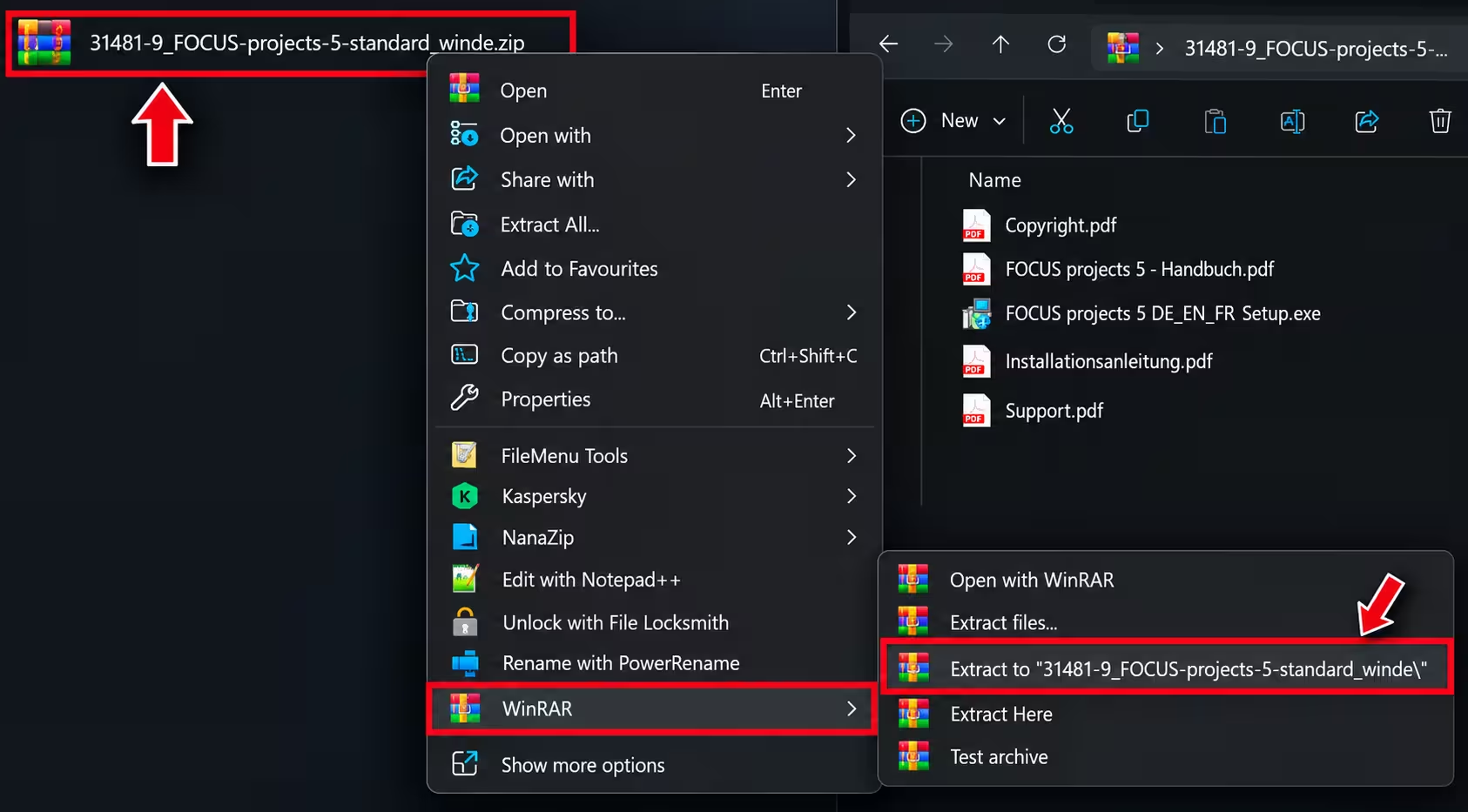
Download the official installer ZIP from Franzis’ server: 31481-9_FOCUS-projects-5-standard_winde.zip (approximately 96 MB). Right-click the ZIP and extract it with Windows’ built-in Extract All option or a tool such as WinRAR or 7-Zip.
The extracted folder holds the installer, FOCUS projects 5 DE_EN_FR Setup.exe, plus four PDFs: Copyright, the German manual (Handbuch), installation instructions (Installationsanleitung) and Support.
5. Install FOCUS projects 5
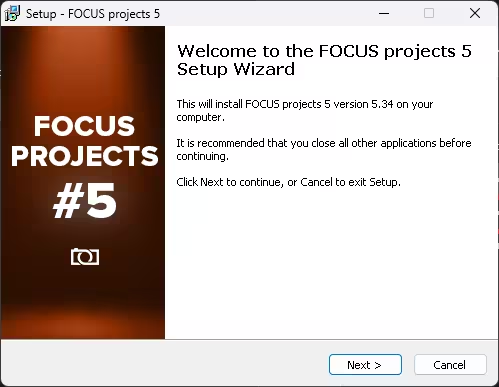
Run FOCUS projects 5 DE_EN_FR Setup.exe. The setup wizard confirms it will install version 5.34. Click Next and follow the on-screen steps to finish.
6. Activate with your serial number
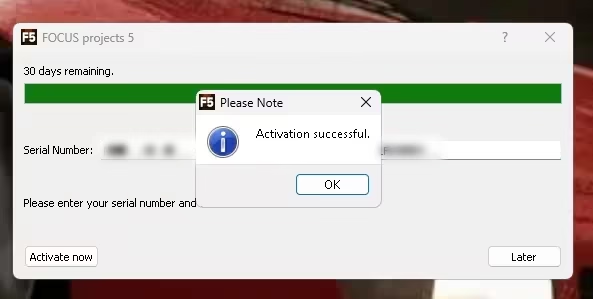
On first launch, an activation window shows “30 days remaining”. That is the trial countdown. Paste your registration key into the Serial Number field and click Activate now. An “Activation successful” message confirms the full version. According to Franzis’ free-download page, an internet connection is needed only for the download and the serial-number activation.
What focus stacking does, in plain words
When you shoot something very close, such as a coin, an insect or a watch, only a thin slice of the subject is sharp. Stopping the lens down to a small aperture helps a little, but it also lets in less light and adds diffraction blur, which softens fine detail. The FOCUS projects 5 manual makes this point with macro shots: even at f/32, close-up depth of field is often too shallow.
Focus stacking solves it differently. You take a series of photos and move the focus point slightly between each one, usually from a tripod. The software lines the frames up, picks the sharpest areas from each one and merges them into a single image that is sharp from front to back. The manual’s matchbox example used 15 frames.
The technique is most common in macro and product photography, but it also helps with landscapes and architecture where you want both the foreground and the background in focus.
Key features of FOCUS projects 5
The list below comes from Franzis’ manual and product page, so treat it as the publisher’s description rather than test results.
- 13 stacking algorithms. These include a simple Average for comparison, MSE and MCE methods, pyramid methods, and two new PSF (colour and luminance) methods. Franzis says the PSF methods also reduce noise when you shoot each focus plane several times.
- Diamond-Cut focus fusion. A new merging method that, according to Franzis, shows more detail while suppressing noise.
- Focus-peaking analysis. Highlights the in-focus areas of an image so you can check coverage.
- Better exposure matching. An improved automatic exposure balance across frames in a stack, plus a new “Ultra” alignment mode.
- RAW support. The manual lists 1,213 supported cameras and formats, including Canon CR3.
- Full editing tools after stacking. 24 new effects, a colour module, film grain, virtual micro-detail, scratch and sensor-dust correction, and selective drawing with up to eight composing layers.
- 4K-ready interface. A redesigned interface with adjustable menu font size and font choice.
- Export options. Save as JPEG, TIFF or 16-bit PNG, or open the result directly in another editor such as Photoshop.
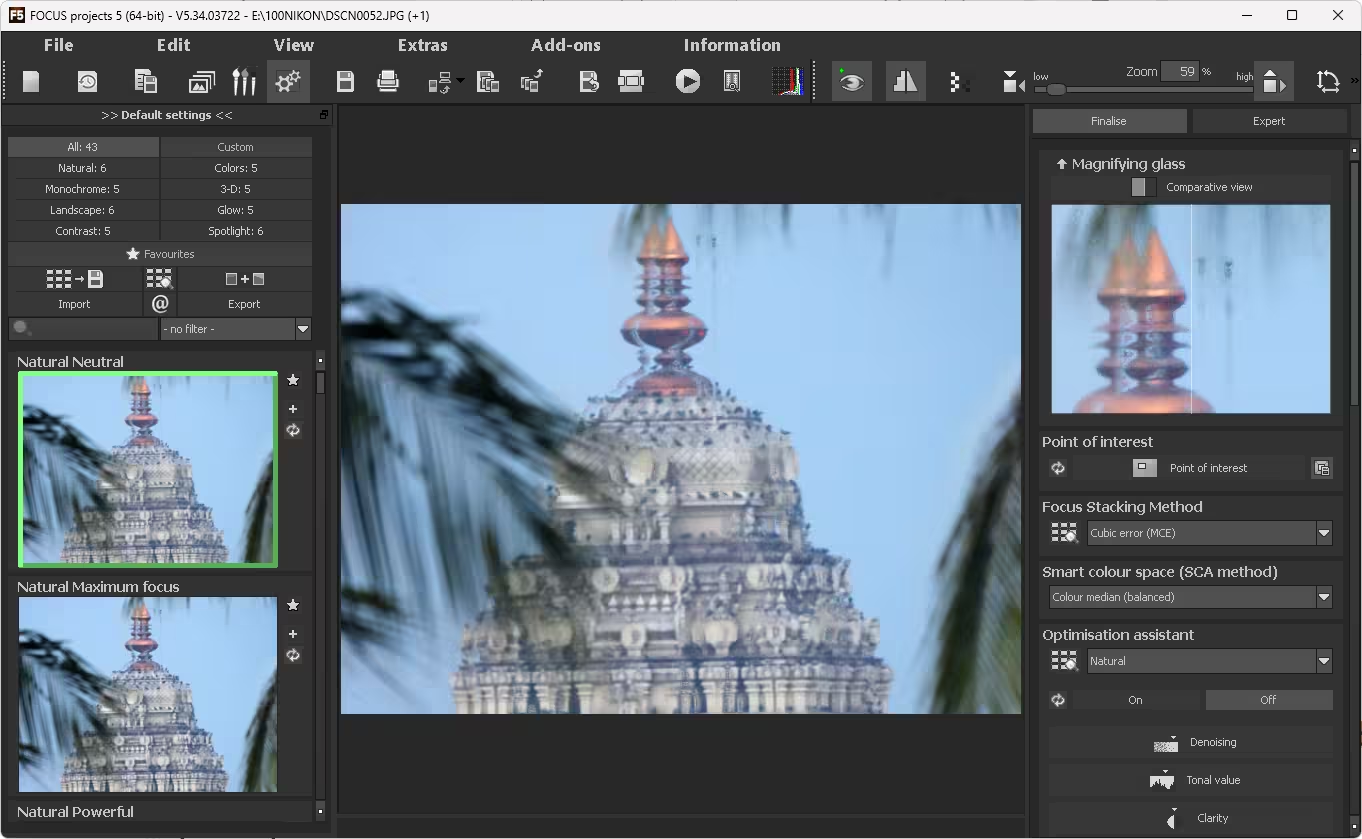
After loading a two-image JPEG sequence from my Nikon camera, the program opened in its stacking workspace. The preset panel listed 43 presets across eight categories (Natural, Colours, Monochrome, 3-D, Landscape, Glow, Contrast and Spotlight). The Finalise panel on the right holds the magnifying glass, Point of Interest, focus-stacking method, Smart colour space and Optimisation assistant controls.
What changed from the older FOCUS projects Pro giveaway
This post previously covered FOCUS projects Pro 4. The new giveaway is different in a few ways that matter:
- Edition: This is the Standard edition of version 5, not the Professional edition. On its Professional product page, Franzis also lists importing focus stacks from video and a plug-in for Adobe Lightroom Classic. Neither appears on the Standard product page.
- Platform: The old download bundled Windows and Mac installers. FOCUS projects 5 Standard in this giveaway is Windows only.
- Version: Version 5 adds the new PSF algorithms, Diamond-Cut fusion, focus peaking and the 4K interface listed above.
The old Dropbox and Box mirror links have been removed. Use the official Franzis download above.
Limitations to know before you register
- No free support. Franzis’ confirmation email says installation help, troubleshooting and crash support are not included for free registration products. Its FAQ page at franzis.de/faq is the main help resource.
- Marketing emails. The form has a separate marketing-consent checkbox, and Franzis’ confirmation email says program registration includes newsletter consent. Expect promotional emails from Franzis. Each newsletter has an unsubscribe link.
- Licence terms not published for this campaign. Franzis describes its free offer as a full version with no expiry on a separate free-download page. The giveaway page used here shows no licence terms of its own.
- German manual. The program and installer work in English, but the bundled PDF manual is in German.
- Not a new release. The installer file on Franzis’ server is dated September 2021, so this is not the newest focus-stacking software available.
- No upgrade promise. Neither the giveaway page nor Franzis’ free-download page mentions upgrades. Don’t assume a future major version is included.
.. Franzis giveaways on Techno360
If you take photos regularly, these Franzis giveaways are also worth a look:
Browse every current offer in our freebies section.
FAQs
Is FOCUS projects 5 free a full version or a trial?
Without a key, the program runs as a 30-day trial. When I entered the giveaway registration key, it activated as the full version. On a separate free-download page, Franzis describes its free offer as a full version with no expiry date and no subscription. The giveaway page used here doesn’t list its own licence terms, and the offer covers version 5 only, not future major versions.
Does the FOCUS projects 5 giveaway work on Mac?
No. The giveaway registration page and the download are for Windows only, and Franzis lists Windows 10 or later as the requirement. The older Pro 4 giveaway included a Mac installer, but this one does not.
What is the difference between FOCUS projects 5 Standard and Professional?
Franzis lists two extras on the Professional product page: importing focus stacks from video, and a plug-in for Adobe Lightroom Classic. The giveaway is the Standard edition, which Franzis sells for €69.
I lost my serial number. How do I get it back?
Search your inbox for the Franzis emails first, since the codes are also sent by email. Franzis’ free-download page says its customer service can resend a serial number. Saving the key in a password manager or text file straight after registration avoids the problem.
Is FOCUS projects 5 in English?
Yes. The installer is labelled DE_EN_FR and installs English, German and French versions. The confirmation email and the bundled PDF manual are in German only.
📊 Verdict
If you shoot macro, product or close-up photos on Windows, getting FOCUS projects 5 free is worth the few minutes it takes. It is the Standard edition of a €69 program, it installs in English, and the key activated it as a full version in my test.
👍 Good: full-version activation, no expiry according to Franzis, 13 stacking methods (per Franzis), RAW support, and editing tools in the same program.
👎 Watch out for: Windows only, Standard rather than Professional edition, no upgrade promise, a German manual, marketing emails, and no free support. Grab it while the offer lasts, because Franzis has not said when it ends.