
🎁 Free Full Version · Windows · Tested 14 Oct 2026
Cut people, pets and products out of any photo, without paying for it
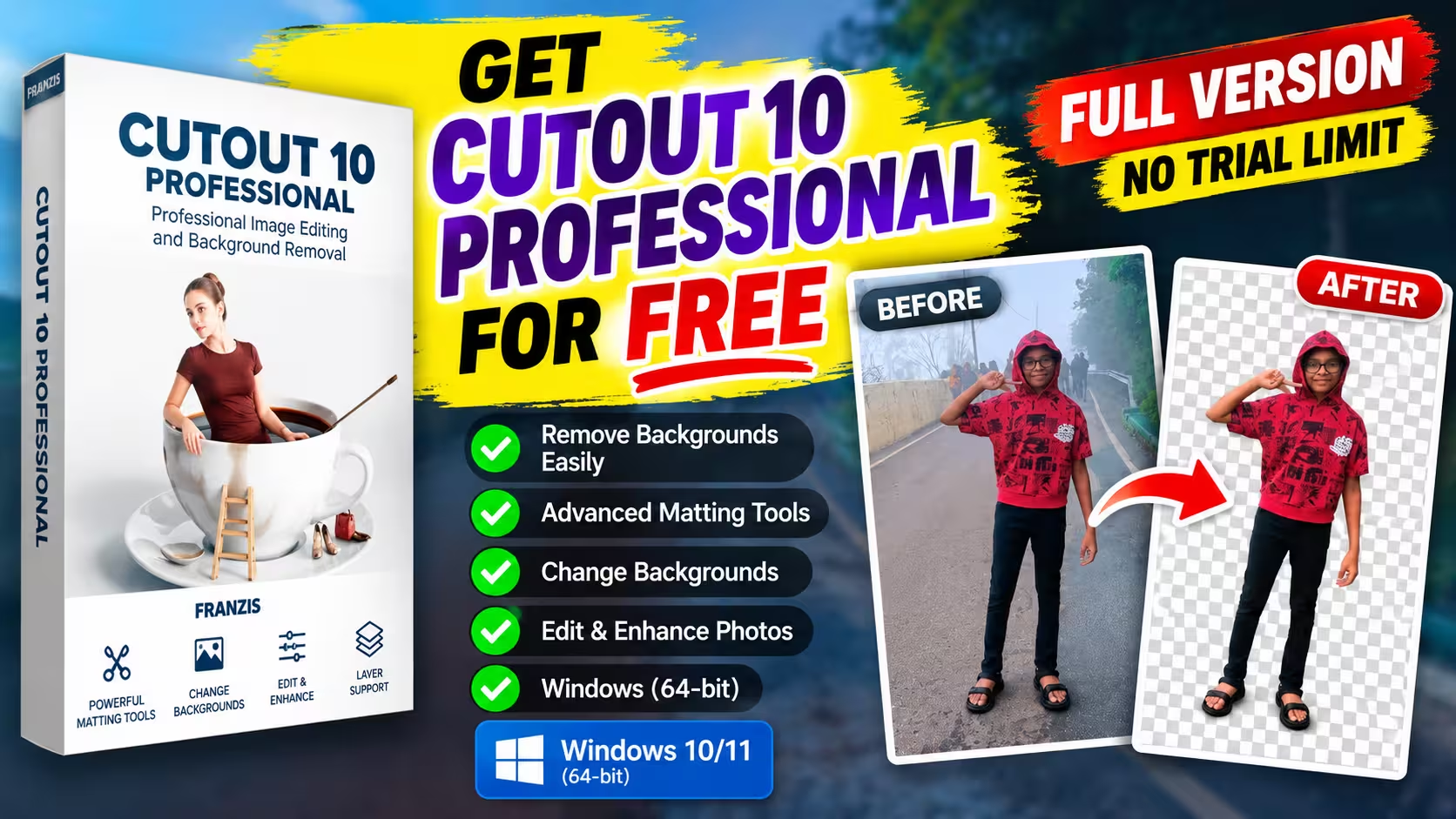
Franzis and COMPUTER BILD are giving away full-version keys for CutOut 10 Professional, a program Franzis values at €99. I claimed one, installed it and cut out a few of my own photos. Here is exactly what worked, what didn’t, and how long it takes.
Time needed
About 10 minutes
⚡ Quick Read
- What it is: a Windows photo editor built around cutting objects out of their background, hair and leaves included.
- The deal: a full-version key from a Franzis promo run with German magazine COMPUTER BILD. Franzis says the unlocked program has no time limit, no trial phase and no watermark. No card details needed.
- You’ll need: an email address, about 33 MB of download, and ten minutes.
- Catch: it’s the 2021 build. The successor, CutOut 11, is the paid version now.
- Status: both the key form and the download page were working when I checked on 14 October 2026. Franzis says the promotion is deliberately time-limited. If the links below stop working, it has ended.
Most “free background remover” tools are either web apps that shrink your image and stamp a watermark on it, or AI one-clickers that cut through hair like a lawnmower. CutOut takes a slower, more hands-on approach: you tell it roughly what’s inside and what’s outside the object, and it works out the messy edge between them. It’s not new software, but it’s a proper desktop program that keeps working offline, and right now the Pro edition costs nothing.
I’ve covered Franzis giveaways on Techno360 for years (the first CutOut freebie I wrote about was version 6), so I went through this one end to end on my Windows 11 PC before rewriting this post. Every step below matches what I actually saw on screen.
What CutOut 10 Professional actually does
CutOut is made by Franzis, the German publisher behind HDR projects, NEAT projects and a long list of other photo tools. Its main job is matting: lifting a subject off its background so you can drop it onto a new scene, blur what’s behind it, or save it as a transparent PNG.
When you click the Cut Out button, it asks which of three methods you want. Picking the right one is most of the skill:
| Method | Best for | How you use it |
|---|---|---|
| Inside/Outside Edge Matting | Busy, real-world backgrounds | Draw one outline just inside the subject and one just outside it. The software sorts out the strip in between. |
| Chromakey | Green/blue screens, clear blue skies | Click the background colour once and adjust the tolerance. This method also supports batch processing. |
| Stroke-based | Products on white, grey or black | The image is split into small segments, and you brush over which ones are subject and which are background. |
Once the cut is done, a short menu lets you swap in a new background, apply a lens-blur effect to the original background for a fake shallow-focus look, push the subject onto its own layer, or save the result as PNG or PSD. Version 10’s manual lists the changes over CutOut 9: a cleaner Outside/Inside settings panel, a better Magnet selection tool, sharper edge simplification, an improved brightening tool for dark edges, and faster loading of very large images.
Outside the cut-out tools, it’s a decent all-round editor:
- Exposure, colour, white balance, sharpening, noise reduction and instant filters
- Layers, text, selection tools and a smart eraser that fills in the gap after removing an object
- Opens JPEG, PNG, TIFF, BMP, GIF and most camera RAW formats (NEF, CR2, ARW, DNG, RAF, RW2 and others)
- HDR merging from bracketed shots, plus 3D stereo images saved as MPO
- Photoshop and Photoshop Elements plug-ins (32- and 64-bit) are in the download, so you can use the matting tools from inside Adobe’s apps
How to claim CutOut 10 Professional for free
There are three parts: get a key from Franzis, get the installer from COMPUTER BILD, then join the two. The download takes the longest.
Step 1: Request your licence key
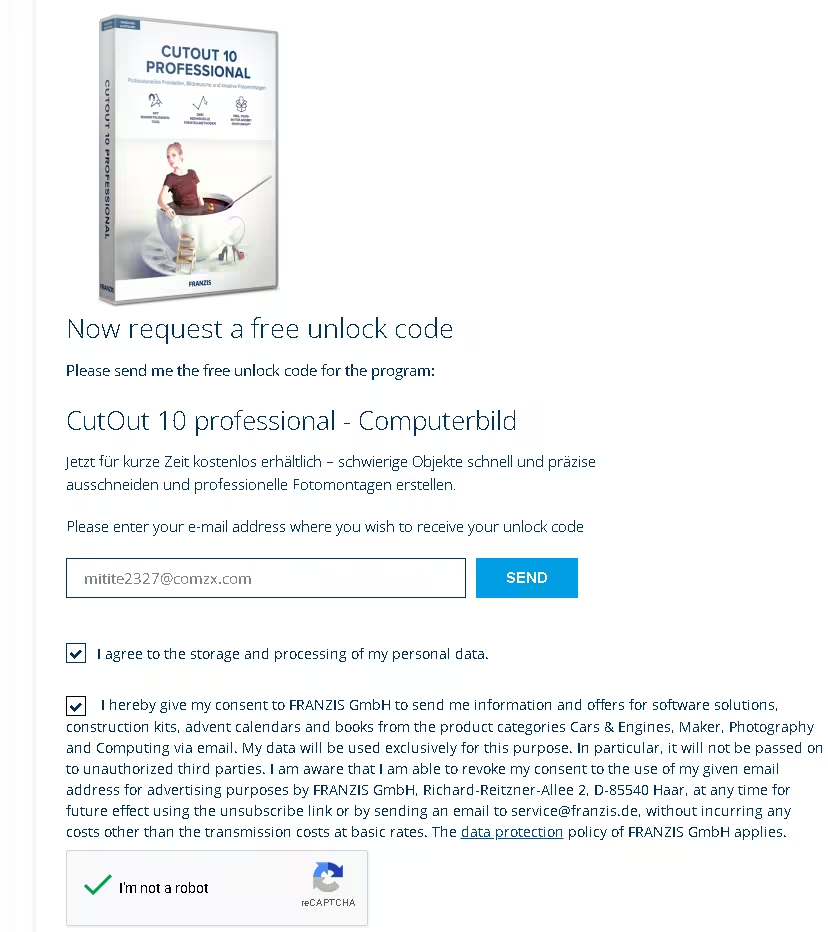
- Open the Franzis CutOut 10 registration page. The product line should read “CutOut 10 professional – Computerbild”.
- Type your email, tick the two consent boxes, pass the reCAPTCHA and press Send. The second box opts you into Franzis promo emails. You can unsubscribe later, and the form also links to an alternative way to get the product without joining the newsletter.
- Check your inbox for a mail from registrierung@reg.franzis.de. Mine came within a couple of minutes. It’s in German, but all you need is the confirmation link near the top. If it isn’t there, look in Spam or Promotions.
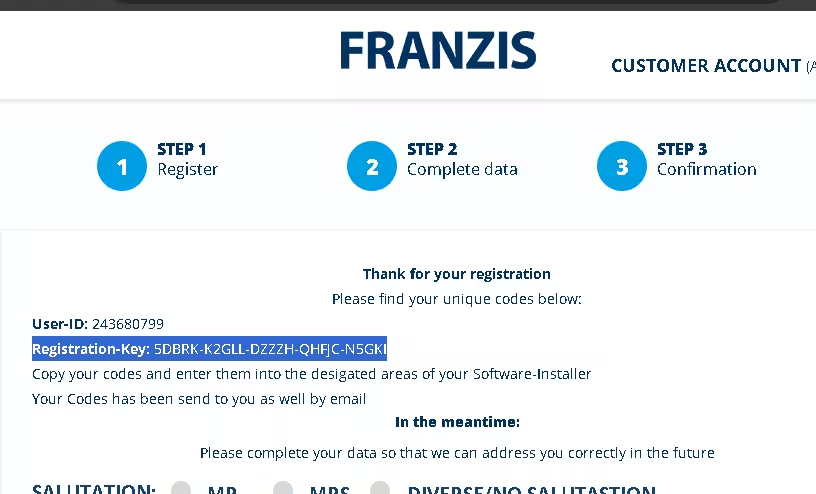
- The link opens your Franzis account page, which shows a User-ID and a Registration-Key. The Registration-Key is your licence. Copy it now. Franzis emails it to you too, but it’s easy to lose in a German inbox.
Step 2: Download and install
- Go to the COMPUTER BILD download page and hit the download button. The page is in German, and Chrome’s translate option handles it fine.
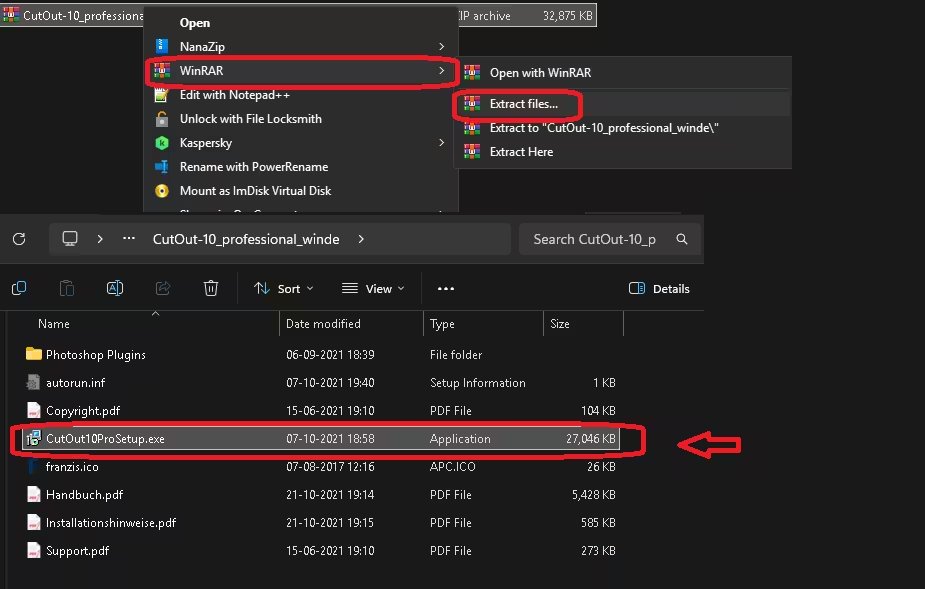
- You’ll get CutOut-10_professional_winde.zip (about 32 MB). Extract it with Windows’ built-in tool, 7-Zip or WinRAR.
- Inside you’ll find CutOut10ProSetup.exe (about 26 MB), four PDFs (including the German manual) and a Photoshop Plugins folder.
- Run the setup, pick English and go through the wizard. My installer didn’t offer any bundled extras.
Step 3: Activate the full version
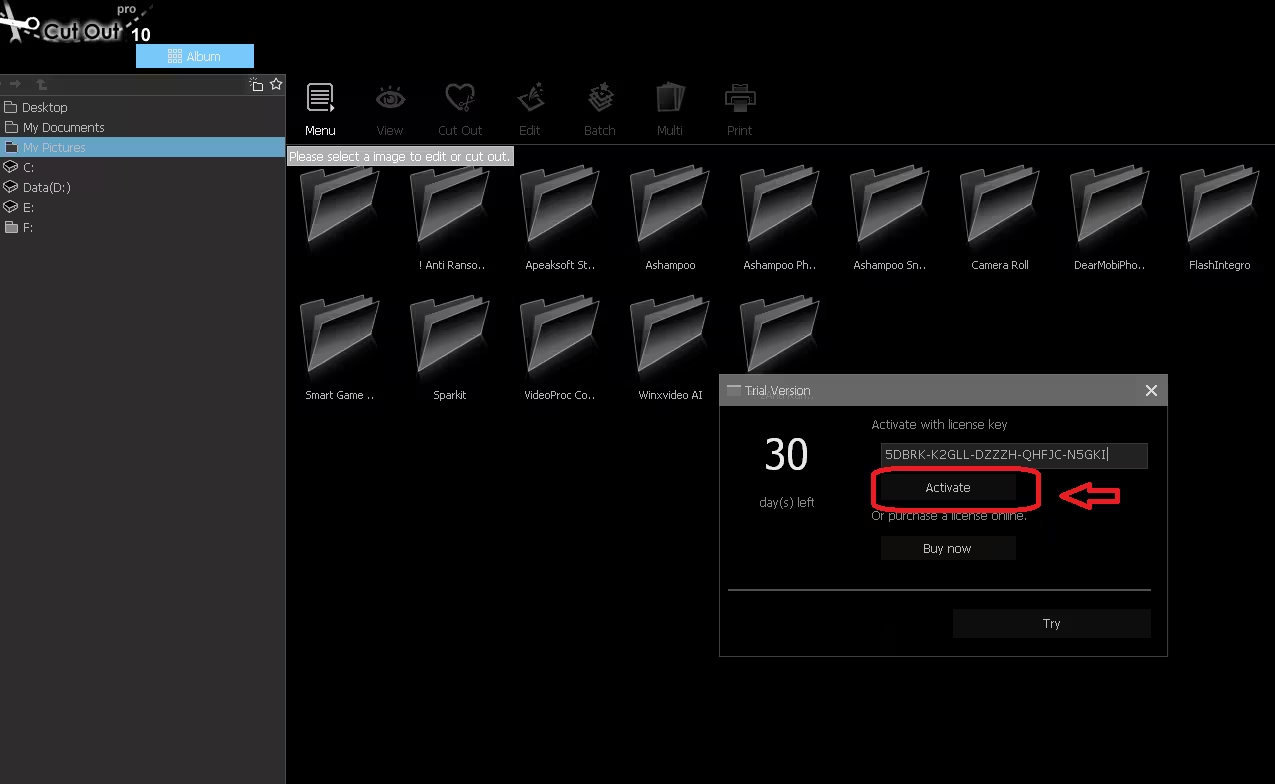
- Start CutOut 10 Professional. A Trial Version window opens with a 30-day countdown.
- Paste your Registration-Key into the licence field and click Activate. Use Activate here rather than Try, which only opens the program in trial mode.
- Restart the program. The trial nag is gone and you’re on the full version.
My hands-on impressions
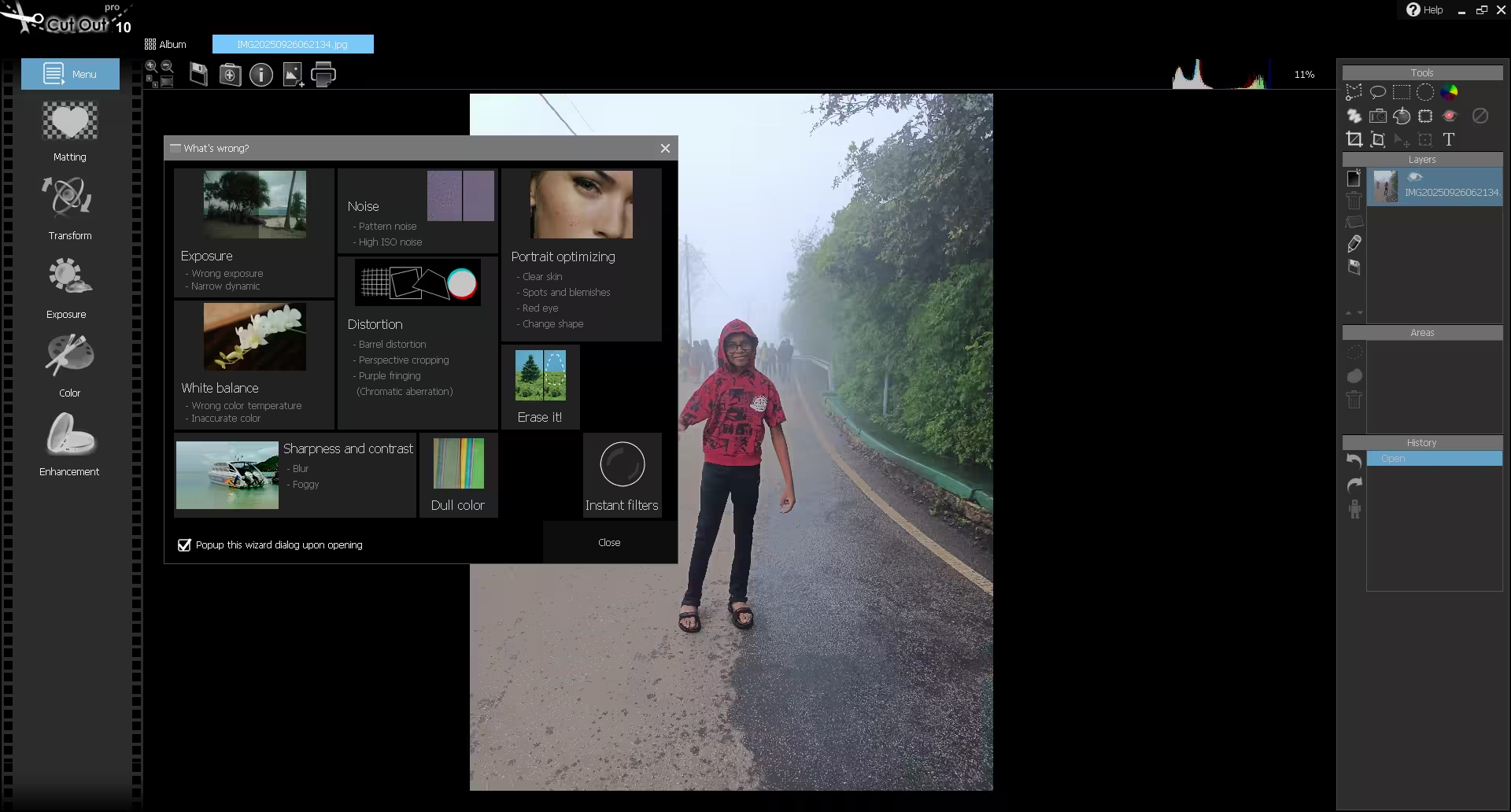
To test it, I used photos from my own camera roll: a person standing on a hill road in heavy fog, with trees on one side and a crowd fading into the mist behind. Fog is a tough test because the subject and the background share the same washed-out grey.
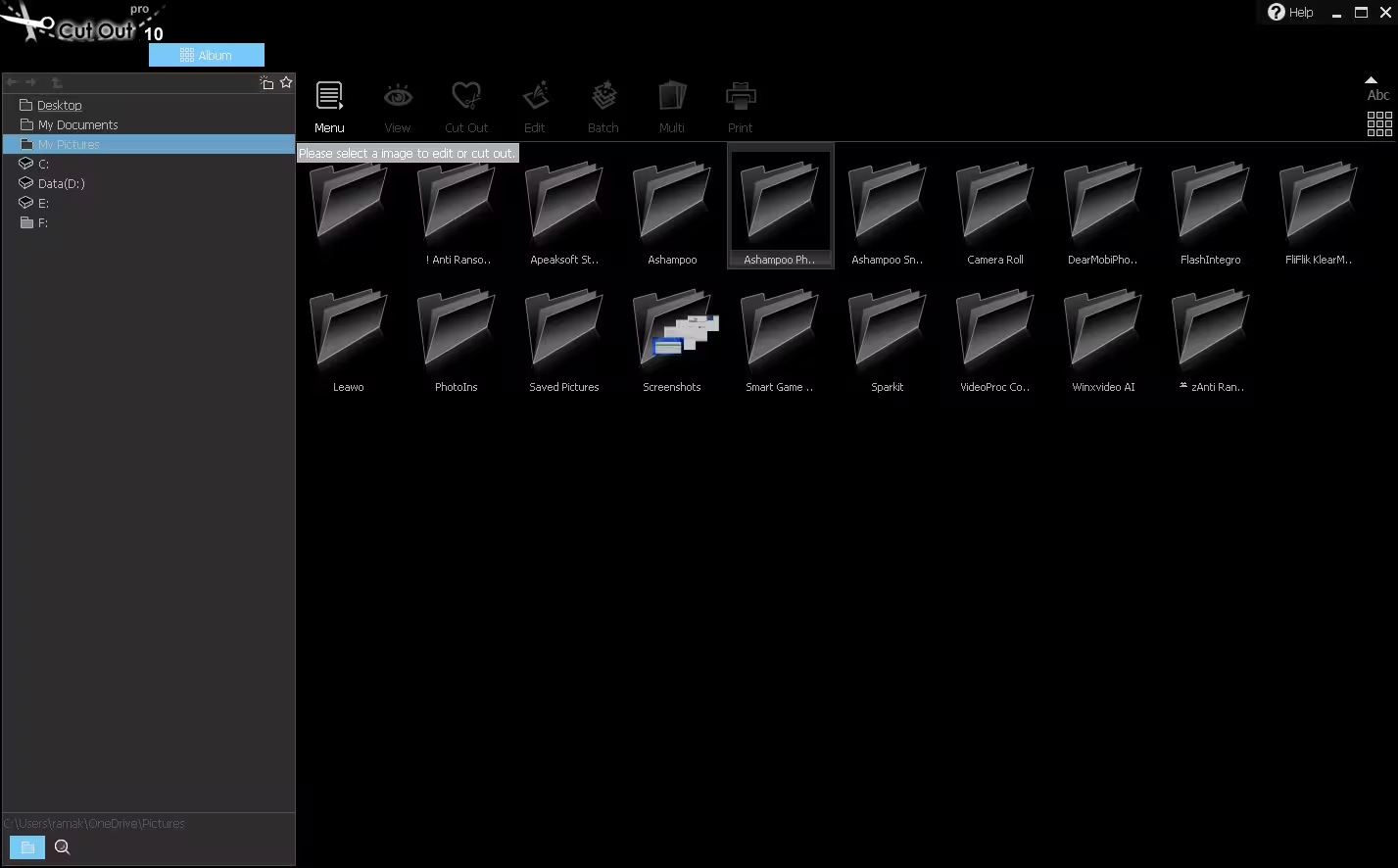
Opening a photo for editing brings up a “What’s wrong?” helper first. It’s a grid of common problems (exposure, noise, white balance, distortion, portrait touch-ups, “Foggy” under sharpness and contrast, and an Erase it! object remover). Each tile takes you straight to the right tool. These are shortcuts into the regular editing tools, not an automatic AI fix. It’s a nice touch for beginners, and you can switch it off with the checkbox at the bottom.
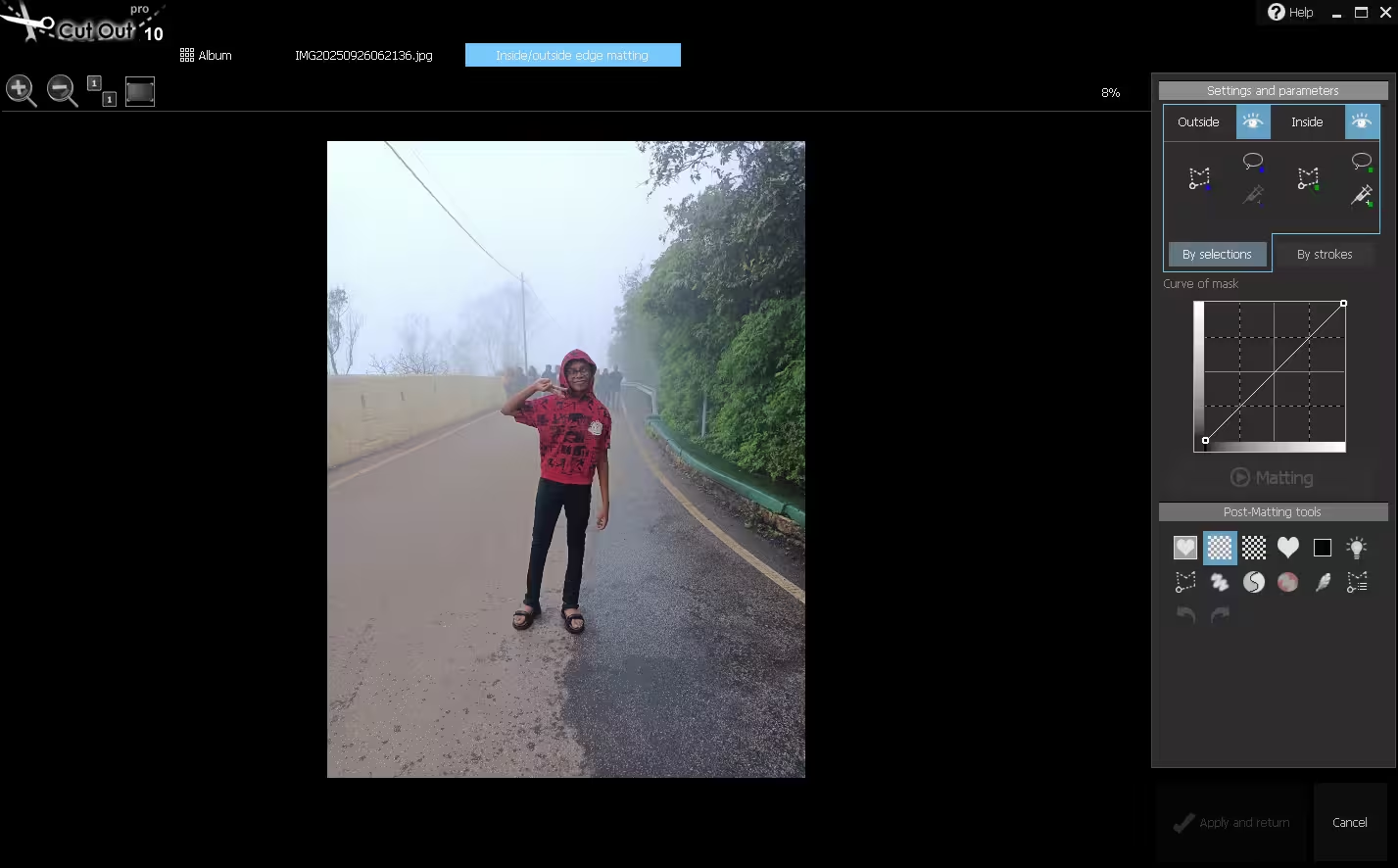
For the cut-out itself, I went with Inside/Outside Edge Matting, since nothing about this background was a plain colour. The settings panel splits neatly into Outside and Inside, each with a polygon tool, a lasso and a pixel “injector” for fine corrections. You can switch between drawing by selections or by strokes. There’s also a curve control for the mask edge and a row of post-matting tools for cleaning up afterwards.
Don’t expect a one-click result. The program only calculates the strip between your two outlines, so the edge is only as clean as your outlines are careful. Where the subject and background are close in colour or brightness, as they are in fog, Franzis itself recommends refining the mask by hand afterwards. Budget a few minutes of zooming in and touching up with the post-matting tools.
Here’s my take after using it:
👍 What I liked
- You control the edge, so it doesn’t guess wrong on low-contrast shots the way one-click tools do
- Editing runs locally on your PC, with no credits and no watermark. Franzis says internet is only needed to download and activate
- PNG/PSD export keeps the transparency
- Real editor on top: layers, RAW support, HDR, lens blur
- Photoshop plug-ins included at no extra cost
👎 What to expect
- No one-click AI cut-out. You draw the outlines yourself
- The dark interface has small text and some tiny icons on a large monitor
- It’s the 2021 build, and updates now go to CutOut 11
- The full manual in the ZIP is in German (an English intro guide does exist)
- Batch cut-outs only work with Chromakey matting (edit steps can be batched separately from the History panel)
💡 Tip: Leave a few pixels of gap between your inner and outer outlines around hair, fur or leaves. That strip is where CutOut does its edge work. If you trace too tightly, you lose the fine strands.
Is the free version worth it next to CutOut 11?
Franzis’ newer edition, CutOut 11 Professional, is now sold through Ashampoo’s store. It lists at $100 and was discounted to $25 when I checked on 14 October 2026. For version 10, Franzis lists Windows as the only requirement and doesn’t publish detailed hardware specs. I ran it on a 64-bit Windows 11 PC without problems.
For occasional cut-outs, like product shots for a listing, a profile photo on a clean background or a fun montage, version 10 handles the job just fine. Ashampoo also sells a reduced-price upgrade to CutOut 11 for owners of older versions, so check its current terms if you outgrow the free one.
If you’d rather have an AI tool make the first pass, our Aiarty Image Matting free licence post covers a tool that does exactly that. To remove unwanted people or cars instead of cutting out a subject, see NEAT Projects 3 free full version, another Franzis tool. The Franzis Photo-Video Toolbox giveaway bundles six more of their editors.
📊 Techno360 Verdict
Grab it. It’s free, works offline and is good at the one thing it’s built for.
CutOut 10 Professional isn’t the newest or flashiest cut-out tool, and you’ll put in a bit more effort than with an AI button. In return, you control the edges, your photos stay on your PC, and you get a capable editor with RAW, layers and Photoshop plug-ins at no cost. It takes ten minutes to claim, and Franzis says the unlocked version has no time limit.
Best for: bloggers, online sellers and hobby photographers who want clean cut-outs without a subscription. Skip if: you need instant AI results for hundreds of images.
Frequently asked questions
Is CutOut 10 Professional really free, or is it a trial?
It’s the full version. The program starts in 30-day trial mode, but entering the Franzis Registration-Key and clicking Activate removes the trial counter. Franzis describes the unlocked version as having no time limit, no trial phase and no watermark. What’s time-limited is the promotion itself, so claim your key while it runs.
Do I need an internet connection to use it?
Only to download and activate it. According to Franzis, editing runs entirely offline and your images stay on your computer.
Is the COMPUTER BILD download safe?
COMPUTER BILD is one of Germany’s biggest tech magazines, and Franzis runs these promotions with them regularly. The installer comes straight from their download page, and it didn’t offer any extra software during my install.
The confirmation email never arrived. What now?
Check Spam and the Promotions tab for a German-language mail from registrierung@reg.franzis.de. If it’s still missing after 15 minutes, request again with a different address. Some strict mail filters hold back first-time senders.
Can I use CutOut inside Photoshop?
Yes. The ZIP includes 32-bit and 64-bit plug-ins for Chromakey Matting, Inside/Outside Edge Matting and Edit. Copy them into the Photoshop or Photoshop Elements plug-ins folder, then open them from Filter → Cut Out.
Which format should I save a cut-out in?
Use PNG, or PSD if you plan to keep editing in Photoshop. JPEG can’t store transparency, so the removed background would come back as a solid colour.
Does it work on Mac?
This giveaway is the Windows version only.
How I tested: I claimed the key with a fresh email, downloaded the installer from COMPUTER BILD, installed and activated it on Windows 11, and edited photos from my own camera roll. I checked both offer pages again on 14 October 2026. Feature details come from the Franzis CutOut 10 manual and the official Franzis promotion page. CutOut 11 pricing is from Ashampoo’s store on the same date.
Want more like this? Browse every current giveaway in our Freebies hub, which we update daily with genuine licence offers we’ve checked ourselves.


![Wise Registry Cleaner Pro v11 Free for 1 Year [Worth $29.95] | Free Download](https://freedownload.co.in/wp-content/uploads/2024/06/Wise-Registry-Cleaner-Pro-Box.png?v=1719554291)